
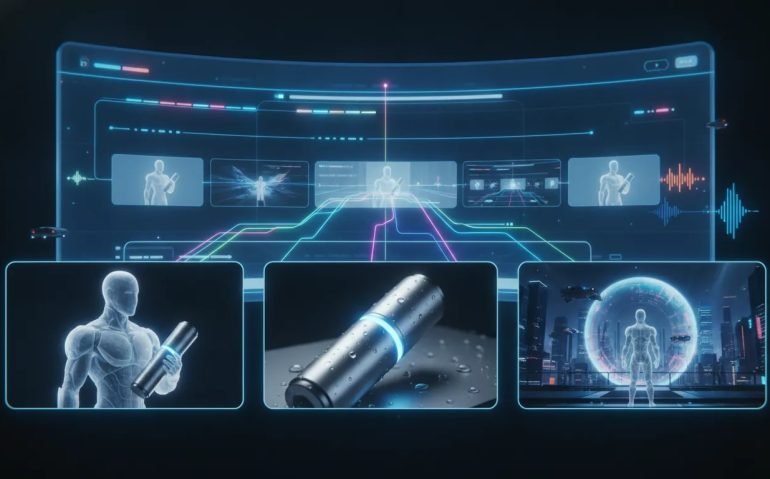
AI video just leveled up in a big way. SeeDance 2.5 on Artlist tackles the three issues that have made most AI video generators frustrating to use: clips that are too short, characters and products that change between shots, and visuals that feel flat or obviously artificial.
The result is a much more practical way to create cinematic AI videos, product ads, social content, and wild visual concepts without stitching together endless tiny clips. With longer generations, 1080p output, reference-based consistency, and built-in audio options, this is the kind of update that can seriously change how quickly creators and brands bring ideas to life.
Why Most AI Videos Still Fall Apart
AI video can produce a great-looking moment, but that is not always the same as producing a usable video. A polished two-second clip is cool. A coherent story, an ad, or a cinematic sequence requires more.
The biggest problems tend to be the same:
- Very short generations: Many tools limit creators to tiny clips, forcing them to generate and edit together a huge number of fragments.
- Inconsistent subjects: A person, location, vehicle, or product can change shape, colour, logo, or identity from one shot to the next.
- Static-looking visuals: Some AI generations feel stiff, with predictable movement and none of the visual energy needed to stop a scroll.
SeeDance 2.5 is designed around solving those exact limitations. Instead of treating AI video like a novelty, it gives you controls that make it useful for actual creative work.
What SeeDance 2.5 on Artlist Can Do
Inside Artlist’s AI video creation area, SeeDance 2.5 can generate video clips up to 30 seconds long from a single generation. That matters because longer clips give a scene room to breathe. You can build momentum, show movement through an environment, create multiple beats, and make the output feel closer to a real sequence rather than a quick visual loop.
The model also supports 1080p output, rather than leaving you with draft-quality footage that is hard to use in a finished project.
But the feature that makes the biggest difference is reference support. You can add up to 50 reference videos to guide the generation. Those references can be used to help preserve consistency for:
- Characters and faces
- Products and packaging
- Vehicles and other objects
- Locations, architecture, and sets
- Specific angles, movement styles, or visual details
That means you are not relying on a prompt alone and hoping the model remembers what your subject should look like. You can give it visual anchors. Upload several angles of the same person, product, or setting, then use those references to help keep the result recognizable across different shots.
SeeDance 2.5 is also built for more ambitious visual movement. Think cinematic camera work, dynamic scenes, surreal concepts, and visuals that do not have to obey normal physics. The goal is not another stiff AI clip. The goal is footage with enough energy to feel shareable.
How to Create an AI Video With SeeDance 2.5 in Artlist
The workflow is straightforward. Artlist brings the model, generation settings, references, and related creative tools together in one place, so you can focus on describing the video you want rather than bouncing between different platforms.
1. Open Artlist’s AI Video Generator
Start in the Artlist AI toolkit and choose the AI video option. Artlist also includes Studio, image tools, music resources, and apps for specific formats and effects. There are ready-made workflows that can connect with AI tools such as Claude and ChatGPT, which can be useful when you want help shaping concepts or prompts.
2. Select SeeDance 2.5
Use the model selector and choose SeeDance 2.5. This is the important step if you want access to longer, 1080p video generations and reference-driven consistency.
3. Upload Your References
Add image or video references for the subject that needs to remain stable. A single reference can work, but multiple angles are especially useful when you want a product, character, or vehicle to appear from different perspectives.
For example, a location project could include images of the same street from several viewpoints. A product video could include clear product images. A character sequence could use references that establish the face, clothing, and visual identity you want to retain.
4. Write a Clear Prompt
Describe the action, setting, and overall intent. You do not necessarily need a gigantic prompt to get a strong result. A direct instruction can go a long way when the visual references are doing their job.
Be specific about the essentials:
- What is the main subject?
- What is happening?
- Where does the scene take place?
- What visual elements must remain consistent?
- Do you want a realistic, cinematic, social-first, or surreal concept?
5. Set Duration, Quality, and Audio
Choose the clip length, up to 30 seconds, and select 1080p quality. You can also enable audio where it fits the project. A shorter clip generally generates faster and costs fewer credits than a longer one, so duration is a creative and practical decision.
If you are testing an idea, begin with a shorter scene. Once you are happy with the subject and direction, use a longer generation when the concept needs more time.
6. Generate and Review the Details
After generating, Artlist shows the prompt, model, quality, aspect ratio, and duration associated with the asset. That makes it easier to understand what created a result and to refine your next generation.
Use Case 1: Create Cinematic Location Videos With Consistent Scenery
One of the most impressive applications is creating a scene based on a real location while keeping the setting recognizable. For example, multiple images of downtown Bozeman can be uploaded from different angles, then used to generate a video of a dog running along Main Street.
The simple creative instruction is clear: create a dog running through downtown Bozeman on Main Street, while keeping the attached scene references consistent.
This approach is powerful because location consistency is usually where AI video can become messy. Buildings can shift, lighting can feel disconnected, and streets can suddenly look like entirely different places. References give the model a better visual foundation, helping preserve the scenery, buildings, and overall feel of the location.
This type of workflow is useful for:
- Travel and destination concepts
- Local business social content
- Story-driven city sequences
- Creative location visualizations
- Stylized campaigns built around a recognizable place
It also shows why longer generations matter. A 20-second sequence can feel like a complete moment. The audience has time to understand the setting, follow the action, and absorb the atmosphere.
Use Case 2: Turn One Product Image Into a Consistent Ad
Product consistency is a massive deal for ecommerce, advertising, and UGC-style creative. If your product changes colour, shape, branding, or details halfway through an ad, the entire asset becomes difficult to use.
A car example makes the point perfectly. Start with an image of a Ferrari Testarossa 849, then prompt the model to show that exact car driving through a desert, a city, and the Malibu coastline. The point is not just to create a cool driving sequence. It is to keep the vehicle consistent as the environment changes.
With the right reference image, the car can retain its intended colour and recognizable design across each setting. If you want even more control over changing angles, you can upload multiple references of the same vehicle.
That opens the door to polished concept videos for products that may be hard, expensive, or impossible to film in multiple locations.
The same method works for a simpler ecommerce example: a bucket hat. Upload the product image, then ask for multiple models to wear and showcase it. The output can feature different people while maintaining the look of the hat itself, ending with a clear product-focused visual.
That is exactly the kind of creative that can be adapted into a UGC product ad. The model can vary the talent and scenes while the key branded object remains the centre of attention.
A Simple Product-Ad Formula
- Upload clear images of the product.
- Use several angles when those details matter.
- Describe the people, environments, and product interaction you want.
- Choose a duration that supports the message without wasting credits.
- Review the result for product accuracy before using it in a campaign.
Use Case 3: Make Physics-Defying Viral AI Video Concepts
The third use case is where SeeDance 2.5 gets completely wild. Instead of recreating a conventional scene, you can ask for something that could not be filmed normally.
One example is a high-resolution, single-take recording displayed within a mobile video app. In the scene, someone pours hot coffee outdoors, but the liquid does not fall. It rises smoothly into the sky toward floating, upside-down steam clouds.
It is surreal, strange, and instantly attention-grabbing. More importantly, it demonstrates a few capabilities working together: a longer 30-second generation, coherent movement, sound, three-dimensional elements, and a concept with a clear visual payoff.
This is the sweet spot for viral AI videos. You are no longer limited to making an ordinary scene look good. You can create an idea that makes somebody pause because it looks impossible.
For this type of concept, clarity still matters. Describe the core action and the impossible rule. Give the model a strong visual premise, then let it build the scene around it.
Artlist Is More Than an AI Video Tool
Part of what makes this setup useful is that SeeDance 2.5 sits inside a bigger creative environment. Artlist provides access to AI video, AI images, music, and a collection of focused apps for common content formats.
For example, there are apps geared toward effects such as freeze and rewind, as well as product-video workflows. These act more like creative templates, helping turn a rough idea into a format that is easier to execute.
Artlist also offers an unlimited option for creating with leading AI models without worrying about credits in the same way for every generation. Depending on the plan and workflow, that can make experimentation a lot less stressful.
How to Get Better Results From SeeDance 2.5
The tool does a lot, but the strongest results still start with a deliberate creative setup.
- Use references strategically: Upload several views when maintaining visual accuracy matters.
- Keep prompts focused: Establish the subject, action, setting, and key requirement instead of throwing in unrelated ideas.
- Match duration to the concept: Use shorter clips for fast tests and longer clips when the scene needs narrative space.
- Choose quality intentionally: Use 1080p when the output is intended for polished delivery.
- Test your big concepts: Surreal scenes can be the most attention-grabbing, but clear direction gives them the best chance of landing.
- Respect platform rules: Confirm that every uploaded reference complies with the applicable terms and permissions.
The Bottom Line: Better AI Video Needs More Than a Good Prompt
If you are tired of AI video that breaks after five seconds, loses the character halfway through, or just looks cheap, SeeDance 2.5 on Artlist addresses all three pain points in one workflow.
You can create up to 30-second clips, work in 1080p, guide the output using up to 50 references, preserve characters and products more effectively, and explore cinematic or completely physics-defying ideas. Whether you are making a product ad, a location-based sequence, or a surreal social concept, the creative ceiling is much higher when the model can hold onto the things that matter.
Start with one strong idea, give it the right references, and build something that does not look like every other AI clip. Explore Artlist’s AI video tools, experiment with your own concepts, and share the kind of result that makes people stop scrolling.
Category: AI Video Creation
Tags: SeeDance 2.5, Artlist, AI video generator, viral AI videos, UGC ads, product video, AI filmmaking, character consistency
Frequently Asked Questions
What is SeeDance 2.5 on Artlist?
SeeDance 2.5 is an AI video model available through Artlist’s AI video tools. It supports video generation up to 30 seconds, 1080p quality, reference-based consistency, and cinematic visual concepts.
How long can SeeDance 2.5 generate AI videos?
SeeDance 2.5 can generate clips up to 30 seconds long from a single generation.
Can I keep a character or product consistent in AI video?
Yes. You can upload up to 50 video references, along with image references, to help maintain consistency for characters, products, vehicles, locations, and scenes across a generation.
Can SeeDance 2.5 be used for UGC product ads?
Yes. A product image can be used as a reference while the generation shows different models and scenes. This makes it useful for creating UGC-style product ad concepts while keeping the product visually consistent.
Do longer AI video generations take more time?
Yes. Longer videos generally take more time to generate and use more credits than shorter videos. Shorter generations are useful for testing a concept before creating a longer sequence.





