
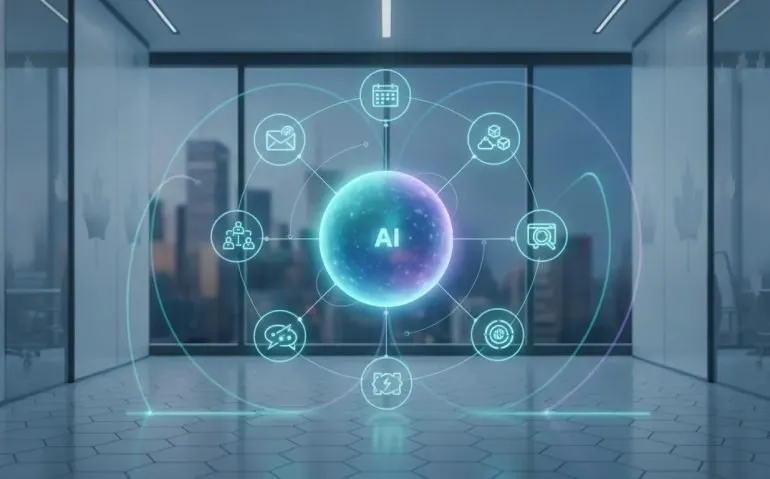
AI is moving beyond the familiar pattern of asking a chatbot a question and receiving a block of text in return. The more consequential shift is toward software agents that can retain context, connect to business tools, operate across browser sessions, and carry out multi-step tasks. For Canadian tech leaders, founders, operators, and knowledge workers, this transition has immediate implications: productivity systems are becoming active participants in day-to-day operations.
Grok Bot is presented as a practical bridge between simple conversational AI and highly technical autonomous coding environments. Its core proposition is not merely generating answers. It is creating persistent, specialized agents that can connect to email, calendars, cloud storage, CRM systems, messaging platforms, browsers, and developer tools.
This model is especially relevant across Canadian tech, where lean teams in Toronto, Vancouver, Montreal, Calgary, and emerging regional hubs are continually looking for ways to reduce administrative work without adding headcount. The most valuable idea is straightforward: assign each agent a clear responsibility, give it the right sources of context, and maintain human approval for high-impact actions.
The following workflows show how an AI agent system can support inbox management, schedules, research, coding, meeting follow-up, household administration, device maintenance, and mobile coordination. They also reveal a key operational lesson for Canadian tech organizations: the effectiveness of an agent is determined as much by its workflow design and permissions as by the underlying model.
Email Agent
Email remains one of the largest sources of fragmented work. An email agent can be configured to review multiple inboxes on a recurring schedule, identify messages that need no attention, summarize low-effort updates, and surface communications that require a decision or reply.
A typical morning workflow begins with the agent reviewing overnight messages and anything left unresolved from the previous day. It can group routine material, such as out-of-office replies, notifications, newsletters, and low-priority updates, into a proposed archive batch. Rather than requiring a manual review of every message, the user receives a concise list and can approve the archival action.
The next layer is more useful for business operations. Messages that deserve awareness but do not demand a response can be grouped into a short briefing. This turns several inbox interruptions into a single review moment. For time-constrained Canadian tech executives, that kind of batching can protect attention while preserving awareness of operational developments.
For messages requiring action, the agent can inspect the current conversation as well as relevant prior interactions. Connected context makes the result more useful. If the system has access to a CRM such as HubSpot, files in Google Drive, notes, contracts, and prior communications, it can propose a next step based on the broader business relationship rather than the latest email alone.
Possible recommended actions include:
- Drafting a reply in the user’s preferred tone.
- Flagging a decision that requires executive input.
- Identifying a request that should be delegated.
- Pulling in relevant account, contract, or project context.
- Suggesting a meeting or calendar action.
Context and iteration are vital. An agent can be taught that certain recurring message types should be archived without review, while others should always be elevated. This makes the workflow progressively more efficient, but it also requires disciplined oversight. Canadian tech teams should establish clear categories for messages involving customers, confidential data, contracts, financial approvals, and personnel matters.
Sponsor
Publishing lightweight information quickly is another useful component of an agent workflow. Here.now is highlighted as a publishing service that can generate public or private URLs for content through a native plugin. A request to publish an image, a set of prompts, a document, or another supported item can result in a shareable link within seconds.
For Canadian tech teams, this type of capability can reduce friction when sharing a quick internal resource, prototype, client-ready reference, or operational note. The service is described as free to use and does not require an account for publishing. However, businesses should apply the same judgment they would to any public-link tool: sensitive information, proprietary documents, customer records, and regulated data should never be posted without confirming access controls and organizational policy.
The strategic value is speed. Agents become more capable when they can complete the final distribution step, rather than simply drafting a file and leaving the user to upload, host, and circulate it manually.
Calendar Agent
Calendar management appears simple until a professional is coordinating multiple calendars, conflicting appointments, external meeting requests, and email threads containing several possible dates. A dedicated calendar agent provides a narrowly defined solution: understand availability and handle scheduling tasks.
Once authenticated with calendar accounts, the agent can negotiate meeting times, identify overlaps, propose rescheduling options, and convert details in emails into calendar events. This is an important design principle for Canadian tech operations. Instead of building one vague assistant responsible for everything, it is often more reliable to create focused agents with one primary job.
A calendar agent can be instructed to:
- Check availability across work and personal calendars.
- Suggest open times for an external contact.
- Create events from dates and details mentioned in emails.
- Detect conflicts before an event is confirmed.
- Support rescheduling when obligations overlap.
For a growing business, the time savings are cumulative. A few minutes saved on every coordination exchange can become meaningful across sales calls, hiring processes, customer meetings, vendor discussions, and internal planning sessions. The Canadian tech opportunity is not simply calendar automation. It is the removal of repetitive coordination from high-value employees.
Browser Tasks
Cloud-based browser control expands an agent’s role from organizing information to interacting with websites. In principle, an agent can complete many tasks that a person would otherwise perform through repetitive clicks, searches, forms, and account portals.
The examples include product research on Amazon, building grocery lists, initiating returns, booking gym sessions, scheduling appointments, and handling vehicle-registration related tasks. One demonstration involved locating a 45-pound tungsten cube, with the agent identifying a four-inch option listed by Midwest Tungsten Service at roughly US$20,000. The example is unusual, but it shows the practical strength of browser automation: it can search, compare, navigate, and report results from a natural-language request.
Where account access is required, a user can sign in through the browser environment. Persistent sessions mean the user does not necessarily need to repeat the login each time. That convenience also introduces a serious governance issue for Canadian tech businesses. Browser agents may have access to purchasing tools, personal information, customer systems, or administrative portals. Permissions should be minimal, and high-cost or irreversible actions should require confirmation.
A sensible operating model is approval before commitment. An agent can research products, prepare a cart, fill a return flow, or identify appointment times, while a human reviews the final order, submission, or payment step.
For organizations, browser agents can become a valuable layer of business technology when paired with strong controls. The goal is not uncontrolled autonomy. It is reducing the time spent on predictable, low-risk digital administration.
Coding
One of the more ambitious workflows positions Grok Bot as an orchestration layer for software development. Rather than replacing an existing coding environment, it can use persistent context and integrations to coordinate work with the Cursor command-line interface and cloud agents.
The suggested structure is to create a separate bot for each software project, and potentially for each distinct workstream within a larger project. This enables the agent to retain project-specific context, including preferred working practices, documentation, communications, source-control activity, and task history.
In this workflow, tasks may originate in Slack. The specialized Grok Bot receives the request, delegates coding work to the Cursor CLI, and maintains access to related information from Notion, email, Slack, GitHub, and other connected systems. The agent can then help generate plans or documentation, launch cloud-based coding agents, and follow up on task completion.
A particularly important example is the pull-request loop. If a pull request has not received a green continuous integration result, the agent can continue investigating, coordinating fixes, and checking results until the build is ready to merge. Instead of forcing a developer to repeatedly monitor a stream of raw coding-agent output, the orchestration layer can provide concise status summaries and offer deeper detail on request.
For Canadian tech companies, this points toward a new operating model for engineering teams. The immediate value is not that developers disappear. It is that engineers can spend less time gathering scattered context, prompting separate systems, and monitoring routine feedback loops.
That said, software delivery remains a high-stakes domain. Security review, architecture decisions, production deployment rules, code ownership, and quality assurance should remain governed by the team. An agent can accelerate execution, but Canadian tech leaders should treat automated development workflows as systems that require observability, testing, permission boundaries, and accountable human owners.
DoorDash
Food ordering may sound like a novelty, but it illustrates how general-purpose agents can support everyday transactional workflows. DoorDash has announced a command-line interface product, though access is described as being limited through a waitlist. Browser control offers an available alternative, albeit a slower one.
With a request such as ordering a sandwich from a specified restaurant, the agent can open DoorDash, search for the restaurant, select an item, and prepare the order. Once the user has supplied account credentials and delivery details, a short prompt or voice note can initiate the process.
The deeper lesson for Canadian tech is not about lunch. It is about interface change. Consumer and business services have historically required employees and customers to navigate proprietary apps and websites. Agents increasingly offer a common conversational interface across those services. The service itself remains unchanged, but the process of using it becomes less manual.
Organizations should still be cautious with payments, addresses, saved credentials, dietary preferences, and other sensitive data. Convenience is strongest when it is paired with explicit confirmation at the final transaction stage.
Meeting Summary
Meeting administration is one of the highest-value areas for an AI agent. The workflow described uses Fathom as a meeting notetaker. After recording and transcribing a meeting, the system checks Fathom’s API every 30 minutes for new records, ingests the meeting content, produces a summary, and identifies action items.
The agent can distinguish between commitments made by the user and commitments made by another participant. It can send the resulting summary through Grok Bot, Slack, or Telegram. This creates a faster path from discussion to accountability.
For Canadian tech companies with distributed teams, customer calls, partner meetings, and hybrid work patterns, consistent follow-up can be more valuable than the summary itself. The agent can transform unstructured conversation into operational outputs:
- A concise account of key decisions.
- A list of open questions and risks.
- Assigned commitments and next steps.
- Follow-up reminders.
- Potential calendar or communication actions.
The workflow can become more powerful when linked to an existing task list and broader personal context. The next evolution is for the agent to assess which follow-up tasks it can complete independently, instead of merely recording them. During a team meeting, direct spoken instructions can also be included, such as asking the agent to ensure a particular person receives an email the following week.
Recording and transcribing meetings require careful policy choices. Canadian tech organizations should ensure participants are informed where appropriate and should set rules for retention, access, storage, and the treatment of confidential conversations. A well-designed meeting agent strengthens accountability. A poorly governed one can create privacy and trust problems.
Chief of Staff Agent
The Chief of Staff agent is less a single automation than a management interface for an entire agent system. It serves as the primary point of contact and delegates requests to specialists. A request to triage email can be routed to the email agent. A request to arrange dinner can go to a food agent. Calendar work can be passed to the calendar agent.
This hub-and-spoke structure is highly relevant for Canadian tech teams exploring agentic AI. It avoids the complexity of making employees remember which tool performs each task, while preserving the advantages of specialized agents behind the scenes.
The Chief of Staff model can be summarized as follows:
- One central interface: the user communicates with a single trusted agent.
- Specialized execution: task-specific bots handle email, schedules, food, research, or coding.
- Delegation: the central agent decides where a request should go.
- Context retention: work preferences and connected data inform future requests.
For a business, this could eventually resemble an AI-enabled operations desk. The long-term promise is compelling, but the architecture must be intentional. Delegation permissions, audit trails, escalation rules, and service ownership will determine whether the system feels like leverage or confusion.
Personal Agent
Separating work and personal responsibilities is a practical safeguard. A Personal Agent can manage non-work tasks, while the Chief of Staff agent handles professional matters. This boundary reduces the risk of mixing family logistics with business communications and makes each agent’s context more relevant.
For Canadian tech professionals, whose work tools often blend into personal devices and messaging platforms, this separation is more than cosmetic. It helps define which data sources, instructions, and automations belong in each domain.
A Personal Agent can act as the central coordinator for household tasks, appointments, purchases, reminders, and family communications. Its role becomes especially valuable when it delegates narrowly scoped responsibilities to sub-agents, such as an education-focused assistant.
School Agent
School communications are often dense, frequent, and operationally important. A School Agent can review a personal inbox each evening, identify messages from children’s schools, extract critical information, summarize the rest, and send a concise update through Grok Bot or Telegram.
It can also identify dates that need to be added to the calendar, create relevant events, and invite another family member automatically. This is a strong example of an agent resolving a real information-overload problem: the input is a long, unstructured school message, while the output is a short set of dates, required items, reminders, and decisions.
Although this use case is personal, it offers a useful pattern for Canadian tech leaders. Every organization receives recurring, verbose communications that contain a small number of operationally important details. The same approach can be applied to non-sensitive internal updates, vendor notices, project announcements, or event communications, provided access and privacy requirements are respected.
Computer Cleanup
Storage management is an overlooked but highly practical automation target. Grok Bot can access a computer as well as cloud-based services, allowing it to inspect local files and identify items that may be safe to remove.
The recommended approach is deliberately cautious: instruct the agent not to delete anything initially. Instead, it should categorize potential cleanup targets as low, medium, or high risk. A weekly routine can then scan the device and produce a reviewable report.
In the demonstrated workflow, the low-risk category included 90 gigabytes of material, including caches, Superhuman cache files, a local Cursor database copy, unused Docker images, and other temporary data. A medium-risk category included a much larger collection of worktrees, requiring more careful review.
This is a useful model for Canadian tech teams managing developer laptops and workstations. Automated cleanup can identify storage waste, but deletion should remain an approved action. Caches may be rebuildable; project files, databases, worktrees, and artifacts may not be. Risk classification is what transforms a potentially dangerous automation into a workable maintenance assistant.
Telegram
Telegram provides an important mobility layer for Grok Bot. While an iOS application is available and an Android application is described as forthcoming, Telegram can function as an accessible interface from nearly anywhere. The integration is not native, but it can be configured through Telegram’s BotFather service.
The process involves creating a Telegram bot, assigning it a name, obtaining its bot token, and supplying that token to Grok Bot so it can configure the connection. Once operational, Telegram can become the channel for interacting with the Chief of Staff agent and receiving items such as meeting summaries, school updates, and task confirmations.
Voice notes add another practical dimension. A user on the move can send a spoken request, allowing the agent to interpret it as it would another assistant command. For Canadian tech professionals moving between offices, client sites, airports, and home, that accessibility can turn an agent system into a more continuous operational resource.
The central conclusion is clear: agentic AI is becoming a serious business technology category. Grok Bot’s workflows demonstrate how persistent context, tool connections, routines, browser control, and delegated specialist agents can reduce the burden of repetitive work. The greatest gains will come from focused deployments, carefully defined authority, and workflows that keep people in control of important decisions.
Canadian tech companies do not need to automate everything at once. They can begin with an inbox briefing, a meeting-action workflow, or a calendar coordinator, then build outward as trust and governance mature. The competitive question is no longer whether AI can draft a response. It is whether Canadian tech organizations are ready to design dependable systems that can carry work from request to completion.
FAQ
What is Grok Bot used for?
Grok Bot can be used to create specialized AI agents for email triage, calendar management, browser-based tasks, meeting summaries, coding coordination, file cleanup, personal administration, and messaging-platform access.
Why are specialized agents useful for Canadian tech businesses?
Specialized agents can be given a clear, limited responsibility, such as managing meeting follow-ups or reviewing inbound email. This can improve reliability, simplify oversight, and reduce repetitive work for lean Canadian tech teams.
Can an AI agent send emails or modify a calendar automatically?
With the appropriate integrations and permissions, an agent can read email, add labels, draft replies, archive messages, inspect availability, and create calendar events. Organizations should define approval rules for sensitive or consequential actions.
What is the safest way to use browser automation?
The safest approach is to allow the agent to research, navigate, and prepare transactions while requiring human approval before purchases, submissions, deletions, or other irreversible actions. Access should be limited to the minimum necessary permissions.
Can Grok Bot work through Telegram?
Yes. A Telegram integration can be configured manually by creating a bot through BotFather, retrieving its token, and connecting that token to Grok Bot. This enables text and voice-note interactions through Telegram.





