
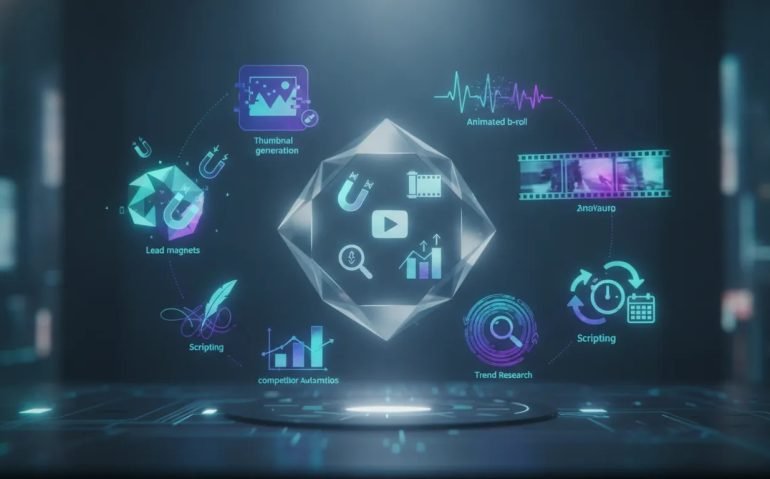
If you create content for YouTube, TikTok, Instagram, Reels, or Shorts, Claude’s latest upgrades are a big deal. A lot of the work that used to eat up hours every week can now be handled inside one system. That includes lead magnets, thumbnails, animated B-roll, trend research, competitor analysis, scripting, and even scheduled automations.
The reason this matters is simple. Content creation is no longer just about posting more. It is about building faster, researching smarter, and turning attention into leads or revenue. Claude is starting to become a serious operating system for creators, not just a chatbot.
If you use these features properly, you can remove a huge amount of manual work and make your content pipeline much more consistent.
Why this upgrade matters for creators
Most creators are still doing things the long way. They research topics in one tool, write scripts in another, design thumbnails somewhere else, create PDFs in a separate app, and then manually track trends across multiple platforms.
That workflow is slow. It is also expensive if you outsource any part of it.
Claude now closes a lot of those gaps. Instead of bouncing between tools, you can create assets, build repeatable systems, and automate recurring tasks from one place. That means:
- Less time spent on repetitive production work
- Faster turnaround on content ideas
- More consistent branding and output quality
- Better trend intelligence for your niche
- More opportunities to capture leads from your content
That last point is the one most people ignore, and it might be the most valuable.
Use Claude to create lead magnets in minutes
If your content gets attention but does not move people off-platform, you are leaving value on the table. One of the smartest ways to fix that is with a lead magnet.
A lead magnet can be a guide, checklist, cheat sheet, framework, or resource that people receive after commenting, opting in, or messaging you. This works especially well with Instagram ManyChat automations or any inbound DM workflow.
Claude can now do far more of this process for you than most people realize.
What Claude can handle
You can prompt Claude to create multiple lead magnets around a topic, ask it to research the latest information first, and then have it generate polished guides based on that research. In the example shown, Claude was asked to create three separate prompt guides for Claude, ChatGPT, and Google Gemini.
What makes this impressive is not just the writing. Claude also handled the visual packaging. It produced PDF-ready guides, checked design choices like fonts, and matched the branding style to each platform. The result was a set of updated, multi-page resources that looked far more premium than a generic template.
In the past, that process usually meant:
- Researching current best practices manually
- Writing the guide from scratch
- Formatting the content into a PDF
- Designing it in Canva or another design tool
- Exporting and organizing the files for delivery
Now a large portion of that can happen in a single workflow.
Why this is such a big opportunity
Lead magnets are not just free giveaways. They are a bridge between content and business.
You can use them to:
- Increase comments and engagement on posts
- Collect leads through automations
- Nurture people toward offers or services
- Package useful information into low-ticket digital products
If Claude can help you create and update these quickly, you can produce niche-specific resources far more often without turning every guide into a week-long project.
Claude Design can build thumbnails, slides, and animated assets
One of the most underrated parts of the update is Claude Design.
This opens up a different category of creation inside Claude. Instead of only generating text, you can use it to build visual assets such as:
- Slide decks
- Interactive prototypes
- Website wireframes
- Documents
- Motion assets and short videos
- Thumbnail layouts
For creators, this is incredibly useful because visual production usually creates a bottleneck. Even when the content idea is strong, people get delayed by thumbnail design, screen assets, or B-roll support.
Creating a thumbnail mockup inside Claude
A practical use case is thumbnail recreation. You can upload a screenshot of a thumbnail you like, tell Claude what text to replace, and specify any elements you want removed or changed. Claude then builds a version of it for you.
There is one important detail here. Claude is not generating a traditional image file in this workflow. It is creating an HTML and CSS version that you can refine and screenshot.
That might sound limiting at first, but it actually gives you more control. Because the design is structured, you can tweak text, spacing, styling, and layout more precisely than if you were stuck with a flat generated image.
Creating animated short-form content
Claude Design can also build animated video assets from a simple prompt. For example, you can ask it to create a 15-second vertical video highlighting three ChatGPT hacks, choose the vibe, define the aspect ratio, and describe the type of interface or visual style you want.
Claude then maps out the steps and generates an animated piece that can function as:
- Short-form B-roll
- A faceless content asset
- An educational promo clip
- A motion-based explainer
This is a big shift because animated micro-content used to require editing software, templates, or freelance help. Now a creator can go from idea to usable visual in a much shorter time.
If you want to improve it further, you can always add a voiceover later. But even without that, the speed of production is what stands out.
Connect Virlo to Claude for trend research and competitor intelligence
Creating content consistently is easier when you know what is already working in your niche.
That is where the Virlo integration becomes powerful. By connecting Virlo to Claude through a custom connector, Claude gains access to a large set of research and analytics capabilities. This includes tools for trend discovery, niche monitoring, creator tracking, and platform analysis across content ecosystems like TikTok, Instagram, and YouTube Shorts.
What this integration helps you do
Once connected, you can ask Claude to investigate topics, niches, or creators using real platform data instead of general guesswork. That means you can prompt it to:
- Find what is trending in a niche such as skincare
- Track competitor posting patterns and engagement
- Analyze outlier creators and viral videos
- Study Shorts strategies on YouTube
- Monitor hashtags and content themes
- Build smarter content plans based on current market signals
This matters because a lot of AI-generated content advice fails when it is disconnected from real performance data. Integrating Claude with a research layer helps ground your strategy in what is actually happening right now.
A simple setup process
The setup itself is fairly straightforward inside Claude Desktop. You go into the connector settings, add a custom connector, paste in the server details, complete the connection flow, and enable the permissions so it can run smoothly.
After that, Claude can use those connected tools during your conversations and workflows.
Why this changes your workflow
Imagine asking Claude to break down a creator in your niche and receiving:
- Average views
- Median views
- Average likes and comments
- Engagement rate
- Posting cadence
- High-performing themes and formats
Once you have that information, the next step becomes obvious. You can ask Claude to create content ideas, scripts, hooks, or repurposing plans based on the strategy patterns that are already producing results.
That takes content creation from random to intentional.
For authoritative context on AI assistants and model capabilities, it can also help to review official product documentation from sources like Anthropic and broader AI research updates from places like Google AI.
Turn your best prompt into a reusable Claude skill
One of the smartest features in this whole workflow is the ability to create a skill from an output you already like.
Here is the basic idea. If Claude writes a script, title structure, or content format that feels exactly right, you do not need to keep re-explaining your style every time. You can turn that successful pattern into a reusable skill.
How it works
The workflow is simple:
- Give Claude an example of your usual format
- Ask it to create a new script based on that style
- Once the output is strong, ask Claude to convert that process into a skill
- Save the skill and reuse it in future chats
In practice, this means Claude can learn the structure you prefer for your content. That might include your hook style, pacing, transitions, teaching order, and call to action style.
Then, when you call that skill later, Claude follows the same operating pattern while still researching the subject and adapting the content to the new topic.
Why this matters for consistency
The real challenge with AI content is not getting a result. It is getting a result that feels consistent enough to publish.
Skills help solve that problem by turning one successful output into a repeatable process. Instead of prompting from scratch every time, you can build a small library of creator-specific systems such as:
- YouTube Script for long-form video structure
- Short Hook Writer for opening lines
- Title Generator for packaging ideas
- Description Builder for metadata
- Lead Magnet Writer for downloadable resources
This is where Claude starts becoming less like a general assistant and more like a trained member of your content team.
Use Claude Desktop scheduled tasks for real automation
Generating something on demand is useful. Scheduling it to happen automatically is where things start compounding.
Inside Claude Desktop, the co-work and scheduled task features let you create recurring automations. You can set up a prompt, name the task, add a description, decide how often it should run, and allow it to act without constantly asking for permission.
What you can automate
Once you have working prompts and skills, you can schedule things like:
- Daily niche trend summaries
- Weekly competitor breakdowns
- Recurring content idea generation
- Lead magnet updates
- Script drafts for upcoming topics
- Hashtag or platform monitoring
You can run these hourly, daily, on weekdays, or weekly depending on what makes sense for your publishing cadence.
This is important because the biggest productivity gains do not come from one good prompt. They come from building systems that keep working in the background.
When your research, planning, and first-draft creation are already happening on a schedule, you spend more time refining and publishing instead of starting from zero each day.
The five-step Claude workflow for content creators
If you want to simplify everything into one action plan, this is the checklist to follow.
1. Create assets you can give away or sell
Use Claude to research and generate lead magnets, guides, frameworks, and other downloadable resources. This helps turn content attention into leads, conversations, and potential revenue.
2. Build visual content inside Claude Design
Create your next thumbnail, slide deck, or animated B-roll asset in Claude Design. Keeping more of your production in one workflow reduces friction and speeds everything up.
3. Connect Virlo for live research
Add the integration so Claude can pull trend and competitor data from real social platforms. This gives you a stronger foundation for content planning and reduces guesswork.
4. Create your first skill
Take a script or framework Claude nailed for you and turn it into a reusable skill. That is how you create consistency across your titles, scripts, and content structure.
5. Schedule recurring tasks in Claude Desktop
Move the best prompts and research processes into scheduled automation so they run repeatedly without manual effort. This is how your system starts to stack results over time.
Practical content ideas you can build with this setup
If you are wondering how to apply this immediately, here are a few practical combinations:
- Create a niche trend report with Virlo, then turn the insights into a YouTube script using your saved skill
- Generate a free PDF checklist inside Claude and use it as the call to action in an Instagram post
- Build an animated 15-second explainer in Claude Design and use it as short-form support content
- Analyze a top competitor, identify their strongest themes, and ask Claude to create original angle variations
- Schedule a daily research task so your content ideas are waiting for you each morning
If you publish educational, business, AI, or tutorial-style content, this kind of workflow can dramatically reduce production drag.
Final takeaway
The biggest mistake creators can make right now is treating Claude like a simple chatbot. It is becoming much more useful than that.
When you combine research, lead magnet creation, design, skills, connectors, and scheduling, you get something far more valuable than isolated AI outputs. You get a repeatable content system.
That is the real shift here.
Instead of spending all your time producing every asset by hand, you can build a workflow where Claude helps create the ideas, package the content, and keep the machine running in the background.
If you want better consistency, faster turnaround, and a clearer path from content to income, this is the kind of setup worth building now.
Try one part of the system first, then stack the rest on top. Start with a lead magnet, a skill, or a scheduled research task. Once that clicks, the rest gets much easier.
If this sparked ideas for your own workflow, share the article, leave a comment with the first automation you plan to build, and explore more AI content strategy guides to keep improving your system.
FAQ
What is the most useful Claude upgrade for content creators?
For many creators, the biggest win is not one single feature. It is the combination of lead magnet generation, Claude Design, reusable skills, data connectors like Virlo, and scheduled tasks. Together, they remove a large amount of repetitive content work.
Can Claude create PDFs and lead magnets?
Yes. Claude can research a topic, write the content, and generate polished guide-style assets that can be exported as PDFs. This is especially useful for checklists, cheat sheets, and educational downloads used in content funnels.
Does Claude Design create real image files for thumbnails?
In the workflow shown, Claude Design creates an HTML and CSS version of the layout rather than a standard generated image. You can then refine it and capture the final design. That approach can offer more control over the final result.
What does Virlo add to Claude?
Virlo adds trend research, competitor analysis, niche monitoring, creator intelligence, and social content analytics. This helps Claude work with live platform data so your content strategy is based on what is currently performing.
What is a Claude skill?
A Claude skill is a reusable workflow based on an output or process you want repeated consistently. For example, if Claude writes a script in exactly your preferred format, you can save that process as a skill and call it again for future topics.
Can Claude automate recurring content tasks?
Yes. Using Claude Desktop scheduled tasks, you can set recurring prompts to run hourly, daily, weekly, or on weekdays. This is useful for automated research, script generation, and ongoing niche monitoring.





