
Creating viral content with AI has usually meant bouncing between five tabs, five subscriptions, and a whole lot of manual work. You research the audience in one place, write the hooks somewhere else, generate visuals in another tool, make the video in another, then try to keep every asset organized.
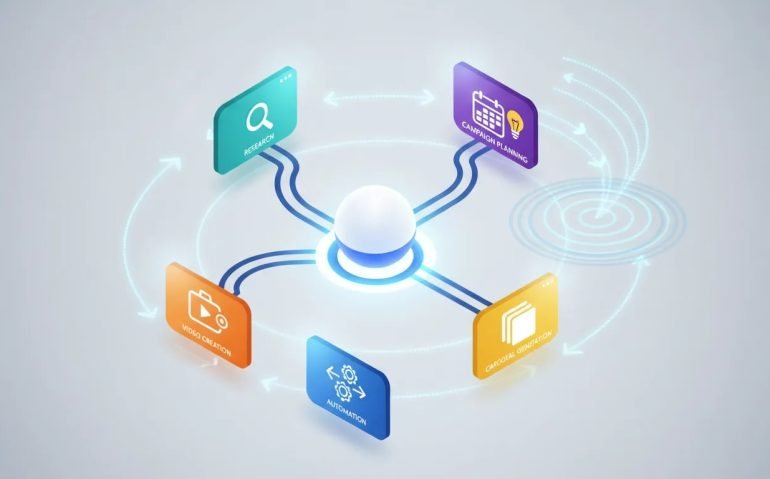
ChatGPT-6 Astra with TopView MCP changes that workflow. Instead of using AI only to answer questions or write a script, you can connect ChatGPT to a content creation system that helps handle research, strategy, scripts, videos, carousel posts, voiceovers, B-roll, and campaign organization.
The big breakthrough is not just that Astra can generate content. It is that it is built for computer use and longer multi-step workflows. When you pair that with TopView MCP, it can move through an entire content process from the initial research all the way to a completed piece of social media content.
This is especially powerful for creators, SaaS founders, e-commerce brands, UGC creators, and anyone who needs to produce more content without building an enormous team.
Why ChatGPT-6 Astra Is Different for AI Content Creation
A model is only as useful as the tools and information it can access. Even the best AI model becomes limited when your workflow is fragmented across separate platforms that do not communicate with each other.
ChatGPT-6 Astra is designed to work through longer chains of tasks. That matters because making content is rarely one task. A real campaign requires a sequence:
- Understand the audience and product.
- Research trends, competitors, and content opportunities.
- Build creative angles and messaging.
- Write hooks, concepts, and scripts.
- Create the actual videos, visuals, audio, and posts.
- Organize everything so the campaign can be reviewed, changed, and reused.
Normally, AI gives you a wall of text and leaves you to do the rest. This setup is different because ChatGPT can use TopView MCP to take the strategy and actually turn it into content assets.
That is the gap a lot of AI workflows have been missing. Planning is useful, but planning alone does not get a video out the door.
What TopView MCP Connects to ChatGPT
TopView MCP acts as the connection layer that gives ChatGPT access to a broader content creation workflow. Once connected, it can support far more than simple text generation.
The available capabilities include:
- AI video and B-roll generation for turning concepts and scripts into finished video assets.
- Avatar videos for presentations, UGC-style content, and narrated social posts.
- Voiceovers and voice cloning to help create a more complete video without manually recording every line.
- AI music to support the pacing and feel of short-form content.
- Storyboards and video assembly to move from an idea into a structured visual sequence.
- Creator research to identify formats, creators, and content patterns relevant to a niche.
- TikTok Shop and e-commerce research for understanding product opportunities and market activity.
- Multi-platform insights pulled from TikTok, YouTube, Amazon, and Shopee.
That multi-platform research piece is a major deal. Instead of guessing what an audience cares about, you can use signals from the platforms where people are already interacting with content and products.
The goal is to turn those signals into useful decisions: who the audience is, what problems they care about, where an opportunity exists, and what competitors are doing that is working.
How to Connect TopView MCP to ChatGPT-6 Astra
The setup is surprisingly simple. You do not need to build a custom automation or write code to get the connection running.
Step 1: Select ChatGPT-6 Astra
Inside ChatGPT Work, open the model selector and choose GPT-6 Astra. There are different model intensity settings available, including lighter and more intensive options.
For this kind of content workflow, medium is a practical starting point. It gives you strong results without burning through credits as quickly as the highest settings. Going too light can limit the quality of longer, more involved tasks, while max or ultra settings may be unnecessary for everyday content production.
ChatGPT-6 Astra can also be used inside the ChatGPT app and Codex, but using it from a desktop workspace makes it easier to manage research files, outputs, and generated media in one place.
Step 2: Add the TopView MCP Connection
Start by opening the TopView MCP connection page and selecting ChatGPT. Copy the connection URL provided by TopView.
Then, in ChatGPT:
- Open Plugins.
- Select the plus button to add a new connection.
- Name the connection TopView MCP.
- Choose the connection option.
- Paste the TopView connection URL.
- Create the connection.
- Authorize access when prompted.
After authorization, ChatGPT should return with TopView MCP showing as connected.
Step 3: Confirm That It Is Working
Before starting a major campaign, use a quick confirmation prompt:
“Are you connected to TopView MCP? What things can we accomplish with it?”
This is a simple but useful habit. It confirms the connection and surfaces the tools ChatGPT can access before you hand it a larger assignment.
From Audience Research to a Complete Campaign Plan
The first major use case is turning raw audience research into a campaign plan that is actually ready to execute.
Say you have a SaaS product for social media creators. You may already have research on the audience demographic, interests, pain points, product awareness, and motivations. That information is valuable, but it is often scattered across documents and rarely turns into a clean creative plan quickly.
With TopView MCP connected, you can attach the research and ask for a complete media campaign plan. A strong prompt would look like this:
“I’m attaching research regarding the audience for my product. Create a complete campaign plan to scale my media campaign. Include creative angles, hooks, video concepts, script ideas, and platform-specific suggestions.”
From there, Astra can work through the research, use TopView MCP capabilities, and build out a campaign framework. It can also incorporate relevant context already available within ChatGPT, which makes the workflow feel far more connected than starting from zero every time.
A useful output can include:
- Audience insights and key pain points.
- Creative angles to test.
- Messaging priorities and a campaign strategy.
- Hook ideas for short-form video.
- Multiple scripts for different angles.
- Platform-specific execution guidance.
- A downloadable campaign plan or canvas.
One especially smart part of this process is that attached audience research can be treated as a hypothesis rather than unquestionable fact. If the research has no direct sources attached, the system can challenge it, investigate around it, and work toward improving the assumptions instead of blindly repeating them.
That is a much better approach than using AI as a confident copy machine.
Turn the Campaign Plan Into Videos and Carousel Posts
Once you have your strategy and scripts, the next step is where this setup becomes really powerful: asking it to create the actual assets.
For example, after generating several scripts, you can ask TopView MCP to turn one of them into a video while creating a matching carousel post:
“Use TopView MCP to generate Script A into a video. Also create a six-slide carousel that hits the same points.”
This lets the original campaign strategy stay consistent across formats. The video and carousel are based on the same angle, same promise, and same core message, rather than becoming two unrelated pieces of content.
The carousel output can be branded consistently across slides and saved among your generated images. You can download the slides or edit them further as needed.
The video may take longer than the image assets because it involves more elements, including voiceover, music, visuals, editing, and pacing. But the important part is that the job can continue running while you work on something else.
When it is finished, you have a real content asset instead of another to-do item. The generated video can include a voiceover, music, editing, and pacing that are aligned with the script and campaign direction.
Why This Beats a Text-Only AI Workflow
Text generation is still useful, but it is only one part of content creation. A content plan is not content. A script is not a video. A list of hooks is not a campaign.
The advantage of connecting TopView MCP to ChatGPT-6 Astra is that it closes the loop between strategy and execution.
Instead of receiving a pile of ideas that still need to be handed off, you can receive:
- A researched direction.
- Creative decisions.
- Platform-specific plans.
- Ready-to-use scripts.
- Video outputs.
- Carousel assets.
- An organized workspace for reviewing the entire campaign.
That is why this can save such a huge amount of time. A task that could have required a separate hire, a team handoff, or a week of back-and-forth can potentially be condensed into a much faster AI-assisted process.
It does not mean you should remove your judgment from the equation. It means you can spend your time on the decisions that matter, rather than on moving copy, files, and instructions between disconnected tools.
Organize the Entire Campaign in a TopView Canvas
Generating assets is only half the battle. If you cannot see the campaign clearly, make edits, or find what you created later, the workflow still gets messy.
That is where the TopView canvas comes in. You can ask ChatGPT to push the research, campaign plan, scripts, video, and images into a single named canvas inside TopView.
For example:
“Push all of this to a single canvas named TrendHawk Campaign September 2026 on TopView.”
Inside that workspace, everything can live together on an infinite canvas. You can see the broader strategy alongside the generated assets, notes, scripts, and iterations.
This makes it easier to:
- Review the campaign as a complete system.
- Edit generated visuals and content pieces.
- Test new messaging or creative directions.
- Change a video hook without rebuilding the entire project.
- Upscale videos or extract clips and audio.
- Keep notes, generations, and revisions in one workspace.
That matters when you are creating at scale. The more content you produce, the more important it becomes to have a process that keeps everything visible and easy to edit.
Automate Repeatable Content Workflows
Once you find a workflow that works, you do not have to manually repeat it forever. TopView includes scheduling options that allow workflows to run on a chosen schedule using selected MCP connections.
This could be useful for recurring research, regular content planning, campaign refreshes, or repeatable asset generation. You define what should run, when it should run, and which MCP tools should be used.
The real opportunity here is not just making one AI video faster. It is building a repeatable content engine that gives you a more organized process every single time.
A Better AI Content Creation Stack
If your current process requires separate tools for research, scripting, video generation, images, voiceover, music, project management, and editing, this is the kind of connection worth testing.
ChatGPT-6 Astra provides the ability to handle long, multi-step work. TopView MCP gives it the research, generation, organization, and automation tools needed to turn that reasoning into a real content workflow.
The result is not magic and it is not a substitute for understanding your market. You still need to know your offer, your audience, and the kind of content you want to make. But once you have that foundation, you can move from idea to organized campaign much faster.
If you are tired of juggling tabs and subscriptions just to publish one piece of social media content, connect TopView MCP to ChatGPT-6 Astra and build the workflow around your actual content goals. Start with one audience-research prompt, generate one campaign plan, and then turn its strongest script into a video and carousel. That alone can completely change how you create.
Frequently Asked Questions
What is TopView MCP?
TopView MCP is a connection that expands ChatGPT’s content creation workflow with capabilities such as multi-platform research, AI video generation, carousel creation, avatar videos, voiceovers, music, storyboards, and campaign organization.
What can ChatGPT-6 Astra do with TopView MCP?
ChatGPT-6 Astra can use TopView MCP to move from audience research to a campaign plan, including creative angles, hooks, scripts, platform guidance, video concepts, visual assets, and organized campaign canvases.
Can TopView MCP create both videos and social media carousel posts?
Yes. A campaign script can be turned into an AI-generated video, while the same core message can also be adapted into a branded carousel with multiple slides.
Can content workflows be scheduled with TopView?
Yes. TopView provides scheduling options for repeatable workflows. You can define what should run, when it should run, and which MCP connections should be used.





