
GPT Image 2.5 intro
OpenAI has released GPT Image 2.5, and the results are seriously impressive. It is currently positioned as one of the strongest AI image generation and editing models available, with top rankings in both text-to-image creation and image editing. But this is not a story about an AI model suddenly becoming perfect. It is a story about a model becoming more useful for real creative workflows.
For Canadian businesses, agencies, startups, product teams, and IT leaders, that distinction matters. The most valuable AI tools are not necessarily the ones that create a flashy image from a simple prompt. They are the ones that reduce production bottlenecks, preserve brand consistency, support iteration, and help teams produce usable creative assets faster.
GPT Image 2.5 can generate realistic scenes, replace objects, remove backgrounds, extend images beyond their borders, recolour old photos, adjust lighting, swap clothing, and make tiny visual edits. Those baseline tasks are increasingly standard across frontier image models. The more important question is how the model behaves under pressure: complex layouts, readable text, multi-step edits, reference images, diagrams, UI mockups, and visual assets that need to fit into a business workflow.
That is where GPT Image 2.5 shows both its strengths and its very obvious limits.
Sketch feature and annotations
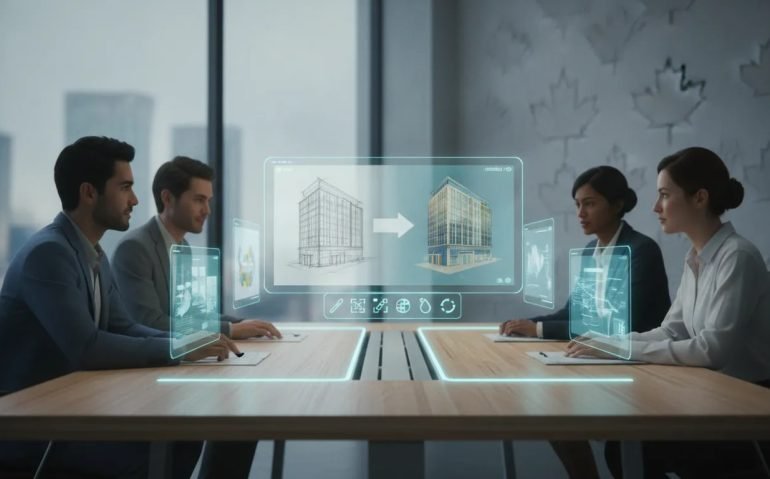
One of the most practical additions is the Sketch feature in ChatGPT. A user can draw a rough visual concept with a mouse or finger, then turn that doodle into a polished image through a written instruction. Even a crude outline of an oceanfront property can become a realistic drone-style image of a luxury house overlooking the water.
This matters because not every creative brief begins with polished reference photography. A sales lead may mark up a concept on a tablet. A founder may sketch an app interface. A real estate team may draw a rough staging plan. GPT Image 2.5 provides a bridge between that informal idea and a credible visual starting point.
Annotations are even more useful. Existing images can be marked up directly with notes, arrows, sketches, or written change requests. The model can then interpret those annotations to alter specified areas, remove objects, add items, or revise the background. For Canadian organizations with distributed teams, this can make creative feedback much more direct than long email threads describing which element needs to move or disappear.
Multi turn editing
GPT Image 2.5 is especially strong at multi-turn editing. In plain language, it can take the result of one edit, apply another instruction, then continue iterating without immediately losing the identity or structure of the original image.
A cube repeatedly rotated across a long sequence of frames remained more visually consistent in GPT Image 2.5 than in earlier versions. That may sound like a niche experiment, but the implication is significant. Consistency is essential when teams need a sequence of product angles, campaign variations, process illustrations, or simple stop-motion-style animations.
For business users, multi-turn editing is where generative AI starts moving beyond one-off experimentation. It supports an actual creative loop: create, review, revise, refine, and repurpose. The model is not flawless, but it is better able to retain previous creative decisions over multiple rounds.
Transparency tests
Transparency is one of GPT Image 2.5’s most compelling workflow features. The model can generate separate transparent layers that collectively form a complete composition, then package those assets into a PSD file. In one test, it created five foreground-to-background layers for a flat vector sunset scene with a lake and alpine mountains. The layers combined cleanly in Photoshop.
More impressively, it could take a finished poster and break it into editable elements. The background, person, and separate pieces of typography appeared as individual transparent layers. That allows a designer to reposition a subject, resize a headline, or rearrange visual elements instead of rebuilding the poster from scratch.
This is potentially huge for marketing teams that need regional versions of campaign creative, French and English adaptations, product updates, or changes in promotional messaging. It does not eliminate the need for professional design review. It does, however, make asset decomposition and early-stage experimentation far faster.
Anime posters
A grid of 100 anime posters is an extremely difficult image-generation task. It demands character consistency, recognizable visual language, composition, typography, and a huge amount of small-scale detail. GPT Image 2.5 demonstrated an apparent understanding of many anime properties, but close inspection revealed distorted faces, mixed-up concepts, and insufficient detail.
Interestingly, GPT Image 2 performed better in this specific comparison. It produced cleaner faces and more coherent poster details, although it still made visible errors. Nano Banana 2 also struggled badly, despite having web-search capabilities that might theoretically help with factual references.
The business lesson is simple: GPT Image 2.5 should not be treated as a reliable generator of large collections of factual, licensed, or culturally specific visual references. It can create inspiration boards and stylized concepts, but not a dependable archive-quality grid of accurate entertainment posters.
Windows desktop
Generating a messy Windows 11 desktop filled with overlapping applications is a brutal test of interface understanding, typography, and numerical reasoning. GPT Image 2.5 created a surprisingly coherent composition containing Slack, Gmail, File Explorer, PowerPoint, and Excel windows.
Some interface text was still gibberish, particularly in smaller areas. Yet much of the visual structure was believable, and the Excel values were notably coherent. The numbers in the spreadsheet added up properly, which is a meaningful step forward for a model working inside a visual format.
GPT Image 2 was similarly capable, while Nano Banana 2 made more obvious errors in text, application design, file names, and spreadsheets. For Canadian software teams creating presentation mockups, training materials, or concept visuals, the GPT models are clearly ahead. Still, no organization should use AI-generated screenshots as evidence of real system capabilities without a careful human audit.
Youtube screenshot
A simulated YouTube homepage for a technology-focused user gave GPT Image 2.5 another opportunity to show its strengths with detailed digital interfaces. The model generated mostly correct navigation elements, recognizable icons, realistic thumbnail layouts, and generally convincing text.
Spacing was not fully consistent, and some details broke down under close inspection. GPT Image 2 produced a comparable result but had weaker avatars and more subtle visual distortions. Nano Banana 2 delivered sharper-looking elements in some areas, yet introduced major semantic errors, including incorrect channel branding and irrelevant search results.
GPT Image 2.5 won this test by a narrow margin. It is a reminder that visual realism and factual correctness are separate problems. A polished mockup can look convincing while still containing inaccurate details that could confuse customers or stakeholders.
Brand design board
Brand identity systems are a major use case for generative image tools. GPT Image 2.5 was asked to create a full presentation board for an eco-friendly matcha brand called Mist. The request included a logo construction grid, mood board, colour palette, typography, packaging, shopping bag, business cards, a mobile app, a website, and an employee ID card.
The model produced all the requested components in a coherent board. GPT Image 2 and Nano Banana 2 also completed most of the assignment, though GPT Image 2 had messier logo construction guides. The result is not a replacement for a full identity system developed by a brand strategist and designer. It is, however, an incredibly fast way to move from a business idea to a concrete visual conversation.
For startups in Toronto, Montréal, Vancouver, Waterloo, and across Canada, this can dramatically accelerate early-stage brand exploration. The key is to treat AI output as a prototype, not a final asset package.
Fashion outfit guide
GPT Image 2.5 performed strongly on a seven-day women’s outfit guide with a soft neutral palette, a Korean-Chinese-inspired aesthetic, full-body models, labelled looks, and accessory thumbnails. It followed the brief closely and generated outfit combinations that felt intentional and usable.
GPT Image 2 also produced solid designs but had less facial detail. Nano Banana 2 delivered weaker outfits and accessory choices. In this category, GPT Image 2.5 had a small but noticeable edge.
This kind of output has clear potential for retail campaign ideation, fashion merchandising concepts, social content planning, and visual trend reports. Yet it should be used carefully. Teams should establish internal review practices for cultural references, body representation, product accuracy, and intellectual property before publishing AI-generated creative.
Higgsfield GPT Astra
GPT Astra is described as a powerful AI planning system, but it does not natively create images or video. Higgsfield positions its MCP integration as the operational layer that connects Astra to leading image and video generators.
The concept is straightforward: Astra acts as the brain, while Higgsfield becomes the hands. A rough brief can be turned into a multi-step creative plan. The system can develop shots, write prompts, generate assets, evaluate early results, and revise the output when necessary.
A single product photo could theoretically become the foundation for a 15-second commercial. The system can plan the visual sequence and maintain continuity across branding, characters, style, and prior creative choices. It can also be used for larger ambitions, such as Unreal Engine environments, cinematic property walkthroughs, playable game concepts, launch trailers, or short films.
For Canadian business leaders, the point is not that every campaign should be automated. The point is that creative production is becoming increasingly orchestrated by AI systems that can coordinate multiple tools on behalf of a team.
Spritesheet animation
Sprite sheets remain essential for many 2D game and animation workflows. GPT Image 2.5 was asked to produce a five-by-five animation grid of a princess warrior running and then slashing a sword. When converted into an animation, the sequence worked and maintained the intended action.
GPT Image 2 was also competent, though GPT Image 2.5 looked marginally better. Nano Banana 2 failed the production requirement by adding obstructive text and splitting the grid into sections. Some frames also truncated the sword at their edges.
That distinction is important. A sprite sheet is not simply an image. It is a structured production asset. GPT Image 2.5 is showing that it can increasingly produce outputs with downstream technical value, even if human cleanup remains necessary.
Table to graphs
Turning a dense data table into attractive bar charts may be one of the most commercially valuable tests in the entire review. The source material included multiple columns, missing data, different units, unusual annotations, and values marked with asterisks.
GPT Image 2.5 correctly handled most categories, including context windows, intelligence scores, cost per task, speed, and latency. It correctly left blank entries where data was missing and preserved relevant asterisks. It also summarized top performers by category. However, it made one major numerical error by turning 37.50 into 3,750.
GPT Image 2 created an especially strong result, organizing values into rankings and producing a clean layout. Nano Banana 2 made severe errors with logos, repeated values, and legends. For executives, this is the warning label: AI visuals can make data look polished while introducing a single business-critical error. Every generated chart requires source-data verification before it reaches a boardroom, client, regulator, or investor.
Tiktok livestream
On a simulated TikTok livestream interface, GPT Image 2.5 created a highly realistic result with mostly believable interface elements, icons, text, and an informal visual style. GPT Image 2 was more polished, with stronger colours and a more professionally produced aesthetic.
That difference reveals a useful creative choice. GPT Image 2.5 often leans toward natural, casual, amateur-looking imagery. GPT Image 2 can appear more refined and commercial. Neither style is automatically better. A consumer campaign, influencer-style post, enterprise brand film, or recruitment asset may need a completely different level of polish.
Nano Banana 2 looked noticeably more artificial and had weaker interface accuracy. The two GPT models remain the serious contenders for this class of visual content.
Typography design
Typography is unforgiving. One inconsistent letterform can make an entire font design feel unusable. GPT Image 2.5 generated a full typography layout with uppercase letters, lowercase letters, and numbers based on a reference. The overall result was very good, though the generated capital W did not match the original character style closely enough.
GPT Image 2 correctly handled the lowercase W but added unwanted “Hello World” text and presented the requested letter sets in the wrong order. Nano Banana 2 added excessive, irrelevant visual material and failed the task badly.
For branding teams, this confirms that AI can help explore typographic directions, but it is not yet a dependable replacement for type design. A brand’s wordmark, custom font, and accessibility requirements demand precise human control.
Electronic dissection
GPT Image 2.5 was asked to create an exploded diagram of a device, separating its components and labelling each one. Of the three models tested, GPT Image 2.5 produced the most detailed and realistic result.
However, visual plausibility is not engineering accuracy. An exploded-view image can be useful for brainstorming, presentation visuals, or early educational illustrations, but it should not be used as a technical repair guide or product architecture reference without validation by qualified experts.
This is a recurring theme across frontier AI systems: the output may be impressively convincing before it is reliably correct.
Manga
Generating a coherent black-and-white manga page from character references remains difficult. GPT Image 2.5 created a page with abundant detail, but it was arguably too detailed for the intended manga format. GPT Image 2 produced a more coherent panel flow and fight sequence, despite a yellowish cast, reduced sharpness, and some anatomical problems.
Nano Banana 2 was deeply inconsistent, including sudden and implausible changes in character scale. None of the three models delivered a fully reliable manga page.
The better workflow is likely to specify each panel, action, composition, and speech bubble individually. Broad prompts still cause too much visual drift when a story depends on continuity from panel to panel.
Redesign webpage
Website redesign is a natural fit for image models because a screenshot can become a visual brief. GPT Image 2.5 generated a credible redesign of a landing page, although the output added unnecessary details and used a bubbly type treatment that did not fit the preferred direction.
GPT Image 2 produced a design that felt more appealing and focused. Nano Banana 2 was the weakest result. This is another example of GPT Image 2’s more literal approach compared with GPT Image 2.5’s tendency to add extra visual richness.
Canadian organizations can use this capability for rapid UX ideation, stakeholder workshops, and design-direction exploration. It should not replace accessibility testing, responsive design work, front-end development, or customer research.
Storyboard for commercial
Uploading a product image and generating an advertisement storyboard is one of the most immediately useful commercial applications. GPT Image 2.5 produced a credible visual sequence that could serve as a foundation for a product commercial. GPT Image 2 also delivered a good result, while Nano Banana 2 was incoherent.
Once a storyboard exists, it can be taken into a video-generation tool such as Seedance or MiniMax to create a finished commercial. This dramatically lowers the barrier to producing an early advertising concept.
The opportunity for smaller Canadian firms is enormous. A local retailer, software company, real estate business, or direct-to-consumer startup can move from product photo to campaign concept without first assembling a large production team. The final version still needs brand, legal, and quality review, but the ideation cycle is being compressed at an astonishing rate.
City street test
Busy city streets filled with multilingual signage continue to expose a major weakness in AI image generation. A bustling Hong Kong street scene with Chinese and English signage looked convincing at first glance, but close inspection revealed widespread gibberish text across signs and storefronts.
GPT Image 2, GPT Image 2.5, and Nano Banana 2 all failed this test. Some were aesthetically attractive from a distance, but none generated consistently legitimate signage.
For Canadian businesses working in multilingual contexts, this is especially relevant. English and French text, Indigenous language representation, international campaigns, retail signage, tourism assets, and localized product packaging require close human review. AI-generated text within an image is improving, but it is not reliable enough for high-stakes public communication.
Gameplay test
A simple prompt asking for GTA 6 gameplay produced a detailed and visually attractive result from GPT Image 2.5. The image had strong environmental detail, but it also contained questionable design choices, including an unnecessary game logo and a confused map interface.
GPT Image 2 generated a simpler image that felt more like a conventional 3D game screenshot. GPT Image 2.5’s tendency to add detail can be a strength, but not when that detail introduces elements that were never requested.
For game studios and creative agencies, the lesson is to use AI image tools for world-building concepts, mood boards, and previsualization, not as a substitute for game UI design, gameplay capture, or production-ready art pipelines.
Biology homework
Biology worksheets remain surprisingly difficult for all three models. When asked to label cell organelles with messy student handwriting, GPT Image 2.5 identified some structures correctly, including the cell membrane, mitochondrion, and Golgi apparatus. Yet roughly half the labels were still wrong.
GPT Image 2 left some blanks and also made many mistakes. Nano Banana 2 produced incorrect answers and a yellow-tinted page. This was a clear failure across the board.
Education technology teams should take note. AI-generated visuals should not be trusted as a factual grading tool or answer key simply because they look plausible. In scientific domains, image-generation capability is not equivalent to verified subject-matter understanding.
FROG TEST
The frog test was even more decisive. The task required a three-by-three grid of frog species endemic to Borneo, each with common names, scientific names, and descriptions. Endemic means the species occurs only in that specific region.
GPT Image 2.5 failed all nine frog identifications. One horned frog appeared somewhat close visually, but it was not actually endemic to Borneo. GPT Image 2 also failed all nine. Nano Banana 2 produced two frogs that looked somewhat plausible, but they were not endemic species either.
This is a huge warning for anyone using AI in research, environmental communications, species education, or conservation work. Generative models can confidently combine the visual appearance of one animal with the label of another. The result may look professional and still be factually worthless.
Geographic understanding
GPT Image 2.5 created an attractive topographic world map with labels for countries, oceans, mountain ranges, and supporting geographic statistics. Most country labels and bottom-of-page facts appeared broadly correct, though some labels were gibberish and several countries in Africa and Southeast Asia were omitted.
GPT Image 2 delivered a similarly capable result. Nano Banana 2 had more serious trouble with mountain range labels, including the Rockies and Andes, as well as multiple country labels. GPT Image 2.5 had the aesthetic edge, but neither GPT model was complete enough to serve as an authoritative map.
Maps, charts, and geographic visualizations are highly persuasive. That makes their errors more dangerous. Canadian businesses should ensure that any AI-generated geographic asset is checked against reliable data before distribution.
Spatial understanding
A floor-plan test exposed another persistent limitation. The models were shown a room layout and asked to generate a realistic photo from the position of the main door. This required not only rendering a room but understanding what the symbols represented and placing the camera at the correct angle.
GPT Image 2.5 rendered much of the space accurately but failed to produce the view from the required corner. GPT Image 2 introduced additional layout issues, such as misplaced doors and incorrectly positioned sofas. Nano Banana 2 moved the bathroom entirely and generated an even less accurate room.
For architecture, construction, property technology, and interior design, GPT Image 2.5 can help ideate. It is not yet a substitute for spatially accurate visualization software or professional architectural rendering.
Chess diagrams
Chess diagrams are a compact test of logic, rule-following, spatial positioning, and sequential planning. The challenge was to generate a mid-game board where Black would be checkmated in two moves, while also showing the required next moves.
GPT Image 2.5 failed. GPT Image 2 failed. Nano Banana 2 failed. None produced an accurate chess position or valid forced sequence.
The result reinforces a critical distinction for business leaders evaluating AI: visual generation models can create the appearance of structured information without correctly performing the underlying reasoning. A chessboard, financial chart, network diagram, or technical schematic should never be trusted solely because it looks organized.
Alphabet animals
An educational A-to-Z poster where every letter is represented by an animal beginning with that letter was handled well by both GPT Image models. GPT Image 2.5 created a richer and more detailed composition, including extra decorative elements and a title that were not explicitly requested.
GPT Image 2 was more literal and stuck closer to the prompt. Its main weakness was a lingering yellowish colour cast, whereas GPT Image 2.5 produced more natural colours. Nano Banana 2 made numerous obvious errors, including malformed animals and nonsensical labels.
This test captures the personality difference between the GPT variants: GPT Image 2.5 is more visually ambitious, while GPT Image 2 can be more controlled and literal.
Clock and wine
Two deceptively simple visual instructions were combined: show a clock at 11:15 and a wine glass filled to the top. Both GPT Image models correctly rendered the requested clock time and glass condition. GPT Image 2.5 produced the more convincing image, particularly in the appearance of the wine glass.
Nano Banana 2 failed to satisfy both conditions at the same time. This is a useful reminder that even straightforward, measurable details can expose model weakness.
For commercial work, prompt compliance must be tested in the specific context that matters. A model can handle one kind of precision well while failing badly on another.
Wheres Waldo
A complex Where’s Waldo-style scene requires dense composition, many distinct people, coherent faces, visual storytelling, and a genuinely hidden target. GPT Image 2.5 created the closest approximation, but the hidden character could not be confidently located and many faces were distorted when enlarged.
GPT Image 2 produced an even less coherent crowd scene, with people degrading into squiggles. Nano Banana 2 created a poor result where the target was too easy to find. None of the outputs reached the quality required for a true puzzle illustration.
High-density scenes remain a weak spot. When an image requires hundreds of accurate small details, even the leading models begin to break down.
Reference consistency
Reference consistency is one of GPT Image 2.5’s most impressive capabilities. A product photo containing extensive small text was supplied, along with a request for a casual photo of a K-pop influencer holding and discussing the product. GPT Image 2.5 preserved the product’s text accurately, showing strong reference adherence.
There was one massive flaw: the person’s hand was badly malformed. GPT Image 2 also preserved product text and logos but rendered the package far too large relative to the person’s face. Nano Banana 2 distorted much of the product text.
For e-commerce, product marketing, and influencer-style creative, this is both promising and frustrating. GPT Image 2.5 can retain packaging details exceptionally well, but hands, proportions, and anatomy still need strict review. The model can deliver a near-perfect commercial asset right up until one obvious defect ruins it.
Specs and availability
GPT Image 2.5 is available in two variants: Flare and Sunburst. Flare is designed for speed and has roughly 50 percent lower latency, making it the better choice for rapid experimentation. Sunburst is designed for premium workflows where higher quality, consistency, and tighter control matter more than generation speed.
Both variants cost the same through the API. A 1024-by-1024 image at low quality costs roughly half a cent, while a maximum-quality image costs about 21 cents. At a 4K widescreen 16:9 resolution and maximum quality, a single image costs roughly 40 cents.
The model is being rolled out through ChatGPT, Work, and Codex, including access for free-tier users with usage limits. In ChatGPT, image creation is accessible through the image creation option or the plus menu. That accessibility is important. Powerful visual AI is rapidly becoming part of the everyday business technology stack, rather than a specialized capability reserved for studios with expensive hardware.
GPT Image 2.5 is not a revolutionary leap over GPT Image 2 in every category. In several tests, the earlier model actually won or tied. But GPT Image 2.5 offers marginal improvements across many of the tasks that matter: natural colour, multi-turn consistency, reference retention, transparency workflows, interface realism, fashion layouts, sprite sheets, and complex image editing.
That is enough to make it one of the best AI image generators available right now. For Canadian organizations, the winning strategy is not blind adoption. It is disciplined adoption: use GPT Image 2.5 to accelerate concepts, prototypes, marketing variations, storyboards, design boards, and internal visual communication, while keeping humans responsible for facts, brand standards, accessibility, legal compliance, and final approval.
The AI image race is moving fast. The businesses that build strong review processes now will be in the best position to turn these astonishing tools into a genuine competitive advantage. Is your organization ready to put AI-generated creative into a real production workflow?





