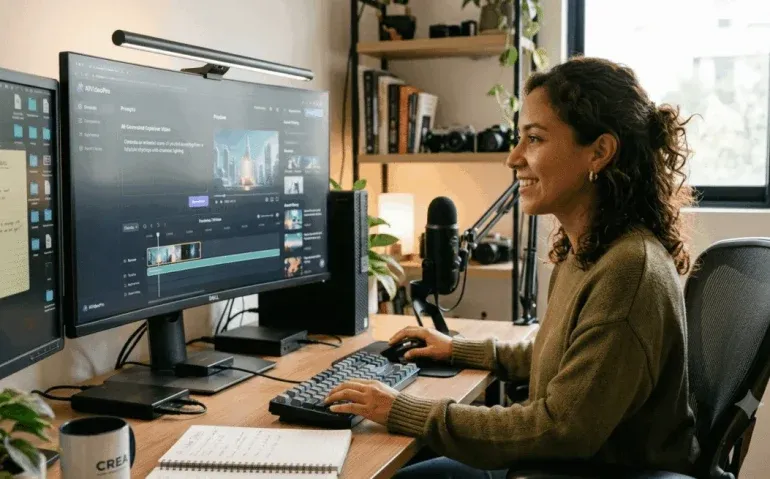
If you have been piecing together AI video workflows with multiple apps, endless settings, and fragile automations, there is a much easier way to do it. ZooClaw takes what used to require a stack of tools and compresses it into one chat based workflow. You type an idea, confirm a few creative choices, and it handles the story, storyboard, shots, voiceover, music, and final edit.
That is what makes this kind of AI video tool feel different. It is not just another model playground with more controls. It is trying to replace the messy middle of production. For anyone making AI drama videos, product ads, TikTok style creatives, or YouTube Shorts, that changes the game.
Under the hood, ZooClaw uses Seedance 2.0, but the real selling point is not just model quality. It is the experience. You are not bouncing between interfaces, choosing technical settings every few minutes, or manually stitching clips together. You stay in one conversation and move from idea to finished video with surprisingly little friction.
Why this workflow stands out
Most AI video setups still feel like operating a lab. You write prompts in one place, generate visuals in another, create narration somewhere else, hunt for background music, then drag everything into an editor and hope it all still matches. That gives you control, but it also creates a lot of opportunities for inconsistency and wasted time.
ZooClaw leans in the opposite direction. Instead of handing you fifty knobs to turn, it acts more like an AI production team. The platform guides the process step by step:
- It helps shape the concept
- It offers multiple creative angles
- It builds a synopsis
- It outlines scene by scene hooks
- It writes the script
- It defines visuals, sound, and emotion
- It generates assets
- It renders clips
- It stitches everything together into a final video
The biggest advantage here is momentum. When the system manages the full chain, it becomes much easier to get from idea to publishable content without losing your original vision halfway through.
How ZooClaw turns a single prompt into a finished short film
One of the strongest examples is the Vibe Drama tool. The prompt can be incredibly simple. A single sentence is enough to kick off a full short drama workflow.
For example, an idea like a 90 second workplace drama about a barista leaving the job to start a YouTube channel is enough for the system to begin building the project. Once the idea is entered, ZooClaw responds with several possible angles for the story. That is useful because the first idea is not always the best packaging of the idea.
Rather than forcing you to rewrite prompts over and over, it gives you options to choose from. Once one direction is selected, the platform starts structuring the video.
Step 1: Creative direction and genre
The system first locks in the genre and confirms the direction of the concept. This is an important step because it establishes tone and pacing early. A workplace drama can be motivational, comedic, tense, bittersweet, or aspirational. Choosing the angle up front helps everything else line up.
Step 2: Scene synopsis and hooks
After that, ZooClaw builds a scene by scene breakdown. Instead of giving you one vague summary, it maps the story into beats with clear hooks. You get an opening hook, the follow up scenes, and the ending. That is especially useful for short form content, where retention depends on each moment leading naturally into the next.
This structure also makes the output feel more intentional. It is not just a collection of pretty shots. It is a narrative sequence.
Step 3: Full script and production plan
Once the synopsis is approved, the tool expands it into a more detailed script. It defines the scene, visual direction, dialogue or narration, sound cues, and emotional tone. This is where it starts feeling like more than a generator. It is acting as writer, creative director, and producer at the same time.
Step 4: Asset generation and rendering
After approval, ZooClaw kicks off the actual creation process. Images are generated, then converted into video sequences using Seedance 2.0. The platform handles the model choices and technical flow behind the scenes, so you do not need to manually switch tools or chain separate systems together.
One standout detail is character consistency. That is one of the hardest things to maintain in AI generated storytelling. Here, the results are noticeably stronger because the workflow is unified.
Step 5: Voiceover, music, and final assembly
When the clips are ready, the system adds narration and background music, then stitches the full piece together. You end up with a complete short film assembled from a single conversation.
Use case 1: AI drama videos in minutes
If your goal is storytelling content, this is where ZooClaw feels especially impressive. Short dramas are one of the strongest formats for social platforms because they hook quickly and create emotional payoff fast. The challenge is that making them manually is time intensive.
With this workflow, you can take a rough concept and turn it into a structured drama without needing to manually direct every frame. That opens up a lot of creative possibilities:
- Relatable workplace stories
- Founder and creator journeys
- Mini character arcs
- Emotional brand storytelling
- Serialized short form content
Because the system asks for confirmation at each major step, you still have room to guide the result. It is not a black box. It is closer to collaborative automation.
Use case 2: Product ads without the usual production headache
The second major use case is ad creation. A simple prompt can define the product, audience, and tone, and the platform takes it from there.
One example is a 30 second ad for wireless earbuds aimed at gym users with an upbeat, energetic feel. That is enough information for the system to structure the commercial. In this case, the workflow broke the ad into smaller segments and then chained them together into a single finished piece.
That matters because ad creative often works best in modular form. A clear intro, an action focused middle, and a product reveal ending make it easier to maintain pacing and emphasize benefits.
It also shows that ZooClaw is not limited to cinematic storytelling. It can shift into conversion focused content when needed.
Why this matters for brands and agencies
Fast ad generation creates obvious opportunities for:
- Small businesses that need content without a full production budget
- Agencies that want to increase creative output
- Brands testing new product angles
- Solo creators offering ad production as a service
Instead of spending days moving from brief to script to storyboard to edit, you can compress the process dramatically.
Use case 3: Generate multiple ad variations for testing
One of the smartest applications is using ZooClaw for rapid creative testing. Rather than making one ad and hoping it performs, you can ask it to generate several short variations with different hooks.
For example, a prompt to create five 15 second TikTok style ads for a fitness app can produce five distinct takes in parallel. Each version can feature a different opening angle, different visual setup, and different pacing.
This is useful because hooks are often the deciding factor in short form performance. If the first second does not stop the scroll, the rest of the ad does not matter.
By generating multiple variants at once, you can quickly compare:
- Different opening lines or visuals
- Different emotional tones
- Different target pain points
- Different user scenarios
The output is not just one repeated template with tiny changes. The variations can look meaningfully different. Some may focus on a person, some on a phone interface, some on fatigue, some on action. That diversity makes the creative testing process much more valuable.
For paid social, this is a huge advantage. For organic content, it is just as useful. You can test multiple content angles without rebuilding the whole campaign manually.
Use case 4: YouTube Shorts and storytelling content
ZooClaw also works well for educational or historical storytelling videos designed for YouTube Shorts. A prompt like a one minute cinematic story about the rise and fall of Blockbuster gives the system enough to create a dramatic, structured narrative.
In that example, the video was broken into four acts:
- The rise
- The peak in the late 1990s
- The decline as Netflix changes the market
- The end of the era
That kind of act based structure is exactly what makes short educational content work. It provides momentum and clarity while still feeling cinematic. Instead of a random summary, you get a beginning, middle, collapse, and conclusion.
This format is especially valuable for faceless YouTube channels using AI tools. Historical breakdowns, business stories, product explainers, and mini documentaries can all be produced more quickly when the system handles the visual planning and final assembly.
What makes the all in one approach powerful
The real story here is not just that Seedance 2.0 can make strong video clips. Plenty of tools are competing on raw generation quality. What stands out is that ZooClaw wraps generation inside an end to end workflow.
That solves several practical problems at once:
- Consistency: visuals, tone, and pacing stay more aligned
- Speed: fewer handoffs means faster execution
- Simplicity: no need to manage multiple tools
- Scalability: easier to produce more content more often
- Accessibility: less technical knowledge required
For many creators and operators, the biggest bottleneck is not having ideas. It is converting ideas into finished assets consistently. A chat based production flow removes a lot of that friction.
The two directions AI video is heading
AI video seems to be splitting into two clear camps.
The first camp is all about precision. It offers granular control, more settings, more technical customization, and more responsibility on the user. If you care deeply about controlling every detail and do not mind the complexity, that route still has a place.
The second camp is all about usability. You describe what you want in plain language and the system handles the heavy lifting. The experience feels more like texting a creative brief than operating advanced software.
ZooClaw clearly belongs in the second group.
And for most people, that probably ends up being the winning model. Not because control does not matter, but because finished output matters more than perfect control for the majority of real world use cases.
If you are building custom pipelines, experimenting at a deep technical level, or chasing highly specific results, a more manual setup may still be worth it. But if your priority is publishing content, testing ideas, and moving fast, the chat first workflow is hard to ignore.
Who should use this kind of AI video tool?
ZooClaw makes the most sense for people who want strong output without technical overhead. That includes:
- Creators making short drama content
- Brands producing ads at scale
- Agencies needing faster turnaround
- Entrepreneurs running faceless content channels
- Solo operators packaging AI video creation as a service
If you have ever abandoned a promising AI video idea because the workflow felt too annoying, this kind of tool is built for you.
Practical tips for getting better results
Even with an easier workflow, prompt quality still matters. A few simple habits can improve output significantly:
- Be clear about the format, such as drama, ad, or Shorts storytelling
- Specify the duration you want
- Define the audience when relevant
- Mention the tone, such as cinematic, upbeat, or dramatic
- Ask for multiple variations when testing hooks
- Use parallel generation when you want faster batch output
The sweet spot is giving enough direction to shape the result without overcomplicating the request.
Final thoughts
The biggest shift in AI video is not just better generation quality. It is the removal of production friction. When one tool can take an idea, shape the story, build the shots, add narration and music, and return a finished video, the barrier to creating useful content drops dramatically.
That is why this feels important. It is not trying to impress with complexity. It is trying to make AI video actually usable.
If the future of content creation is a conversation instead of a complicated workflow, tools like ZooClaw are a strong preview of where things are going next.
If you are exploring AI drama videos, product ads, or faceless YouTube content, this is the kind of workflow worth testing. Share this article, leave a comment with the type of AI video you would create first, and explore related guides to keep building your content stack.
FAQ
What is ZooClaw used for?
ZooClaw is used to create AI videos from a simple chat prompt. It can build short dramas, product ads, TikTok style creatives, and YouTube Shorts by handling scripting, storyboarding, video generation, voiceover, music, and editing in one workflow.
Does ZooClaw require advanced AI workflow knowledge?
No. One of its main advantages is that it reduces the need for technical setup. You do not need to manually connect multiple tools or manage a complicated node based workflow to get a finished result.
Can ZooClaw create AI ads for products and apps?
Yes. It can create short product ads, app promotions, and multiple ad variations for testing different hooks, tones, and creative directions.
Is Seedance 2.0 part of the workflow?
Yes. Seedance 2.0 powers the video generation behind the scenes. ZooClaw uses it as part of the rendering process while keeping the interface simple and chat based.
Who benefits most from this AI video tool?
Creators, agencies, brands, and solo entrepreneurs can all benefit, especially if they want to produce more video content quickly without building a complex production stack.