
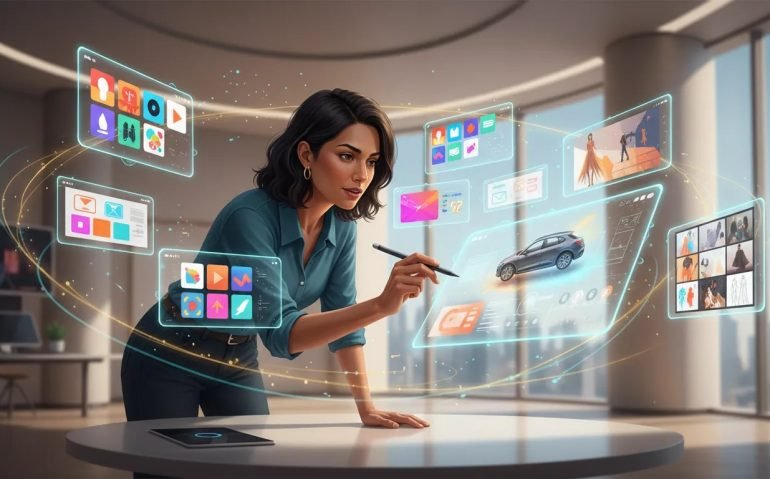
I found an AI creative platform that genuinely changes how design gets done. Lovart.ai puts industry-class models and a canvas-style editor into one place, so you can generate social posts, UI layouts, ads, videos, 3D displays, product mockups and entire fashion lines without hiring a designer. This article explains what Lovart does, how it works, practical workflows, creative use cases, ethical considerations and tips to get professional results fast.
Table of Contents
- What is Lovart.ai and why it matters
- Core features at a glance
- How Lovart’s “skill” system works
- Step-by-step: Create a social media carousel in minutes
- Editing assets: quick edits, element layers and batch variations
- Use case 1: YouTube thumbnails and batch edits
- Use case 2: Create ad campaigns and turn images into videos
- Use case 3: Architectural 3D concepts and billboards
- Use case 4: Design an entire fashion line
- Team workflows and project management
- Best practices to get professional results
- Limitations and ethical considerations
- Pricing, models and performance
- Suggested workflow templates
- How to integrate Lovart outputs into your stack
- Multimedia and accessibility recommendations
- Meta description and tags
- Suggested links to include on your page
- Practical examples you can try right now
- Final notes and next steps
- Frequently Asked Questions
- Call to action
What is Lovart.ai and why it matters
Lovart.ai is a design-focused AI workspace that combines multiple generative models, visual skills and a collaborative canvas. Instead of opening separate tools for image generation, video creation, layout mockups and asset editing, Lovart centralizes them and adds guided “skills”—preset workflows that produce consistent outputs like Instagram posts, YouTube thumbnails, ad creatives, product lineups and architectural 3D concepts.
The practical benefit is huge: a single prompt or uploaded asset can be analyzed, edited, and expanded into dozens of deliverables. If you create content for social media, marketing, product design or UX, Lovart drastically shortens the gap between idea and finished creative.
Core features at a glance
- Multi-model access: Switch between high-end image, video and 3D models (examples include NanoBanana Pro, Midjourney v7 and other specialty engines).
- Skill-driven workflows: Prebuilt skills for social media posts, e-commerce, branding, UI, video storyboards and more that guide the AI through design intent and references.
- Canvas editor: A layout editor with selection, pen, marker, shapes, text editing and asset upload so outputs are immediately editable like a mockup.
- Asset analysis: Upload an image and the platform will analyze it, ask clarifying questions, then propose edits or variations.
- Parallel generation: Run multiple jobs at once and turn static images into short videos without waiting sequentially.
- Team collaboration: Create projects, invite teammates, and manage design iterations inside a shared workspace.
How Lovart’s “skill” system works
Skills are guided workflows tailored to a specific outcome, for example “Instagram post”, “YouTube thumbnail” or “product catalog”. When you select a skill, Lovart does three things:
- Retrieves the design guidance and constraints for that skill.
- Searches visual references to ground its output.
- Generates a prompt, design approach and suggested caption or copy.
That means the system isn’t just blindly generating images. It follows a mini brief, looks for relevant visual cues and prepares the deliverable structure. You can accept the result, ask follow-up edits, or instruct it to produce multiple variations or a carousel.
Step-by-step: Create a social media carousel in minutes
A practical workflow that highlights Lovart’s speed: create an Instagram carousel about a product.
- Open the Social Media skill and choose “Instagram posts”.
- Provide the product or topic prompt (for example, “Ferrari Roma features”).
- Decide the output format, e.g., “carousel 3 to 5 slides” and choose an image/video model (fast vs thinking mode).
- The skill fetches visual references, drafts prompts, proposes captions and builds a slide layout.
- Accept the generation and use the canvas tools to tweak, change colors, edit text and rearrange elements.
- Export individual slides or the full carousel and produce a Reels-friendly cut if needed.
This flow turns a concept into a professional-looking carousel in a fraction of the time it usually takes.
Editing assets: quick edits, element layers and batch variations
Lovart’s editor supports several editing modes:
- Quick edit — Type a simple instruction like “make the car yellow” and the system will regenerate the image with that edit.
- Edit text — Replace or change captions and numbers on an image, such as updating “620 horsepower” to “643”.
- Edit elements — The platform splits the image into layers (background, main subject, text) so you can move, recolor or remove components.
- Upscale, remove background, mockups — Common output polishing tools are available as click-to-use operations.
Because edits are model-driven, you get realistic, context-aware results rather than crude cut-and-paste manipulations.
Use case 1: YouTube thumbnails and batch edits
Thumbnails are the single most visible asset on video platforms. With Lovart you can:
- Upload an existing thumbnail and ask the AI to analyze it.
- Request color or text changes, like switching a shirt from black to red and updating the banner text to “New AI agent”.
- Generate multiple variations to A/B test thumbnails across different audiences.
The tool behaves like a tireless designer that asks clarifying questions and applies consistent edits across variants. This eliminates repetitive back-and-forth and produces cohesive A/B testing assets quickly.
Use case 2: Create ad campaigns and turn images into videos
A practical marketing workflow is to convert product shorts and static images into multi-variant ads.
- Capture screenshots from product videos or pull product images.
- Upload them into a new Lovart project and request “generate five ads for different sports demographics”, or any audience you target.
- Lovart runs an image analysis, drafts ad concepts, and generates five image ads using a selected model like NanoBanana.
- Convert those images into short video ads in parallel. The platform can add text, clips and simple transitions automatically.
It even locates and applies brand assets like logos, producing ready-to-run ads that can be exported to ad platforms or fine-tuned for landing pages.
Use case 3: Architectural 3D concepts and billboards
Lovart can generate photorealistic architectural renders and even 3D billboard concepts. Designers have used it to imagine L-shaped glass displays in urban intersections and dynamic 3D advertising that appears to leap out of environments.
For anyone in environmental design, OOH campaigns or experiential advertising this capability accelerates concept iterations and client presentations.
Use case 4: Design an entire fashion line
One of the most impressive workflows is generating a full product line. Ask the platform to create a fashion collection inspired by an existing brand aesthetic—combined with a new twist like “beach vibe”—and Lovart will:
- Research signature design elements and brand cues.
- Write a short report describing the combined aesthetic.
- Generate 8 to 10 product concepts (accessories, hats, sunglasses, apparel) with mockups and model shots.
You can iterate on favorites, produce lookbooks, mock up e-commerce pages and even create promotional videos for the launch.
Team workflows and project management
Projects are collaborative by default. Create a project for a campaign, invite teammates, and keep assets, revisions and comments in one place. Designers, copywriters and marketers can all work from the same canvas, and the AI acts like a persistent creative assistant.
Best practices to get professional results
- Create a clear brief — The better the direction, the better the output. Use concise style cues, target formats and example references.
- Use skills for structure — Select the appropriate skill (thumbnail, carousel, ad) so the system follows a built-in brief rather than a generic generation.
- Iterate fast — Generate multiple variations and refine the strongest candidates with targeted edits.
- Keep branding consistent — Upload logos, fonts and color palettes to ensure AI-generated outputs match brand guidelines.
- Set quality expectations — For high-resolution print or large-format 3D renders, request upscales and verify models before final production.
Limitations and ethical considerations
Lovart is powerful, but responsible use matters. Two practical areas to watch:
- Copyright and brand imitation — Generating work “similar to” a protected brand may raise legal risks. Use such outputs as inspiration and consult legal counsel before commercializing direct imitations.
- Model accuracy — The platform sometimes hallucinates details like text strings or logos. Always review and correct important copy, technical specs, or factual claims before publishing.
Treat AI as a creative collaborator, not a final authority. Human review and quality control remain essential.
Pricing, models and performance
Lovart offers access to multiple generative engines. Some commonly used models include NanoBanana Pro and Midjourney v7, plus video and 3D engines. Pricing tiers often bundle model credits and workspace features—look for promotions that include trial credits or discounts that let you test NanoBanana Pro or other premium models.
Performance highlights include parallel generation for batch jobs and the ability to switch between “fast” and “thinking” modes depending on the complexity of the creative brief.
Suggested workflow templates
Here are three ready templates you can adapt immediately:
- Thumbnail optimization
- Upload current thumbnail
- Ask for three color/text variations
- Export resized versions for A/B tests
- Ad campaign batch
- Upload product assets and short clips
- Generate five ad concepts tailored to different audiences
- Convert images to 15-second video ads and export
- Fashion capsule
- Define inspiration brands and a new twist
- Generate a 10-item line with mockups and model shots
- Create a launch lookbook and promotional Reels
How to integrate Lovart outputs into your stack
Export images, videos and layout assets for:
- Ad platforms (Facebook Ads Manager, Google Ads).
- E-commerce platforms (Shopify, BigCommerce) via product mockups.
- CMS and marketing automation tools for landing pages and email campaigns.
For teams, store brand assets in a shared folder and connect Lovart exports to your DAM or project management tool for smoother handoffs.
Multimedia and accessibility recommendations
When you add visuals to your posts or ads, provide descriptive alt text for accessibility and SEO. Suggested alt text is short, descriptive and includes a relevant keyword, for example: “yellow Ferrari Roma side view detailing 643 horsepower” or “beach-inspired Chrome Hearts style jacket with silver hardware.”
Consider adding captions to short videos to improve watch-through rates and including a short transcript for indexing.
Meta description and tags
Meta description: Create professional social posts, thumbnails, UI layouts and ads quickly with Lovart.ai—an all-in-one AI design workspace that turns ideas into polished assets.
Suggested tags and categories: Lovart, Lovart AI, AI design tool, NanoBanana Pro, generative design, social media design, AI for marketing, product mockups.
Suggested links to include on your page
https://www.lovart.ai/?sourceId=901948
https://www.youtube.com/channel/UC0FBv8ckxw1hrZxbUm3G7hA
Practical examples you can try right now
Create a 3-slide carousel for a new product: upload one product image, select “Instagram”, ask for a three-slide carousel highlighting features, benefits and CTA.
Update an old thumbnail: upload it, ask to change the shirt color and update the banner copy for a new promotion, then export three variants.
Launch a capsule collection: provide an inspiration brief like “luxury jewelry meets surf culture”, ask for 8 product concepts, then request lookbook images and short Instagram Reels.
Final notes and next steps
Lovart removes many of the mechanical barriers in creative production. It speeds up ideation, produces cohesive batches of assets, and supports rapid iteration across image, video and 3D outputs. Use it to prototype faster, scale creative production and free up human time for higher-level strategy and refinement.
If you plan to adopt Lovart for a team, start with one or two template workflows: thumbnail optimization and ad batch generation are great places to test ROI. Track time saved, conversion lift from A/B tests and how many iterations are needed to reach final approval. That data will show the tangible value of introducing AI-assisted design into your process.
Frequently Asked Questions
How accurate are Lovart’s edits when changing brand-specific elements like logos or text?
Accuracy varies by complexity. Text and color changes are typically reliable, especially when you specify exact wording. Logos and trademarked assets may be approximated; for brand-critical work always upload official assets and perform a manual check before publishing.
Can I turn static images into short promotional videos?
Yes. You can convert image ads into short videos within the platform. Lovart can add animated text, transitions and short clips, and it supports parallel generation so multiple videos can be created simultaneously.
Is Lovart suitable for large teams?
Yes. It supports projects, shared assets and team collaboration. Teams can centralize design briefs, hand off revisions and keep a single source of truth for campaign assets.
What models does Lovart provide access to?
Lovart integrates multiple models, including image and video engines such as NanoBanana Pro and Midjourney v7. Availability depends on your plan and any promotional bundles that include premium models.
Are there copyright or legal risks using outputs that imitate well-known brands?
Yes. Outputs inspired by trademarked or copyrighted work can carry legal risk if used commercially without permission. Use such outputs as inspiration and consult legal counsel prior to commercialization or public release.





