
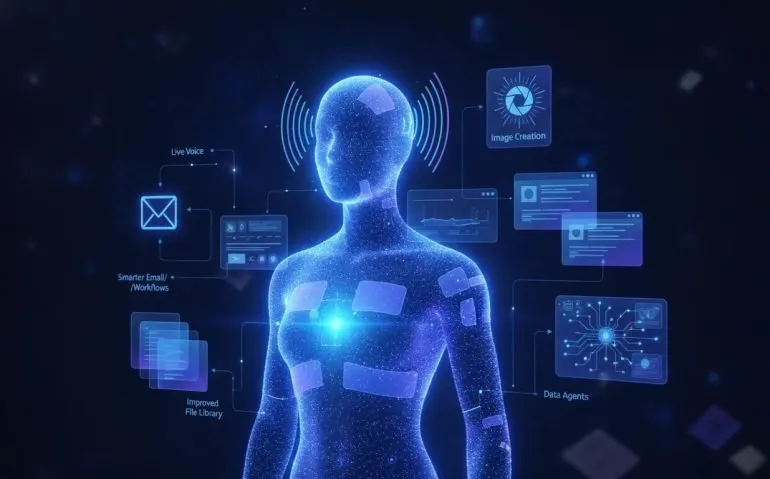
ChatGPT Astra has received a huge wave of upgrades, and some of these new ChatGPT features completely change how you can use AI for work. We are talking about smarter Gmail actions, writing style personalization, a dramatically improved live voice model, a better file library, upgraded ChatGPT Sites, a new image model, and data agents that can turn company information into answers and dashboards.
This is not just another minor interface update. These features make ChatGPT more useful as an active workspace for communication, research, data analysis, content creation, and even financial services. The biggest opportunity is not simply knowing the features exist. It is turning on the right settings and understanding where each capability fits into your workflow.
Start With the New Personalization and Gmail Settings
The first set of upgrades lives inside ChatGPT personalization and plugins. These are easy to miss, but they can save a ridiculous amount of time when configured properly.
Connect and manage multiple Gmail accounts
The Gmail plugin has received a major upgrade. Instead of treating email as a one-off task, ChatGPT can now connect to multiple Gmail accounts and perform actions in batches.
That means you can work across personal, work, client, or project-specific inboxes without treating each email as a separate manual process. The plugin can handle batch actions such as:
- Modifying groups of emails
- Applying labels across multiple messages
- Creating emails in bulk
- Drafting emails for multiple conversations
This is especially powerful for anyone dealing with high volumes of inbound communication. Rather than spending your day sorting, labeling, and drafting the same types of responses, you can create repeatable email workflows that move much faster.
Teach ChatGPT how you actually write
Under Personalization, the setting to enable is Reference My Writing Style. This takes personalization much further than simply remembering information from previous prompts.
You can connect messaging sources, document tools, and email so ChatGPT can better understand how you communicate in different environments. Supported connections include:
- Messaging: Slack and Microsoft Teams
- Documents: Google Drive, SharePoint, and Notion
- Email: Connected email sources
That difference matters. Most people do not write exactly the same way in a Slack message, a client email, and a formal document. Your writing style changes because the intention changes. A short internal update needs speed and clarity. An email needs context and polish. A document may need structure, detail, and a more professional tone.
By drawing from these connected sources alongside your existing prompts and memory, ChatGPT can begin adapting its output to the context rather than giving every request the same generic voice. That is a massive improvement for anyone using AI to draft daily communication.
GPT Live 1 Makes ChatGPT Voice Far More Capable
Voice is another area where ChatGPT has made a serious jump. The new GPT Live 1 model is available through the API and ChatGPT voice settings, and it is designed to make live conversation feel more intelligent, responsive, and reliable.
When choosing a voice model, make sure you look for the live option. This upgrade improves the things that usually make voice AI feel frustrating:
- Handling interruptions naturally
- Reasoning during an active conversation
- Delegating tasks and calling tools more effectively
- Adapting tone, pace, and speaking style
- Managing silent context in a conversation
- Handling background noise
- Maintaining reliability in longer sessions
- Improving telephone-based interactions
The performance jump is substantial. GPT Live 1 is positioned as roughly twice as strong in intelligence and interactive conversation benchmarks, with significantly stronger knowledge performance and lower latency than the earlier voice experience.
In practical terms, this makes it a much better foundation for phone agents, general-purpose assistants, and live customer or team interactions. If you have tried AI voice tools before and found that they struggled when someone changed direction, interrupted, or gave a complex request, this is exactly the kind of problem this update is meant to solve.
Choose the right intelligence behind voice
ChatGPT voice can also run using GPT 5.6 Soul or GPT 6 Astra rather than the dedicated live model. GPT 6 Astra is the stronger choice when the task requires more reasoning or more capable answers.
That said, keep an eye on usage and credits. The most powerful model is not always necessary for a simple interaction. Use GPT 6 Astra where the quality of thinking matters most, and use the appropriate model for lighter work when speed or cost is more important.
Turn On Library Search and Connector Search
Under the advanced settings, make sure features such as Chat Voice, Library Search, and Connector Search are enabled. The updated ChatGPT library is one of the biggest quality-of-life improvements in this whole release.
The library is no longer just a place to upload a random file and forget about it. It is becoming a more complete system for organizing the materials ChatGPT needs to work with.
You can create or store:
- Images
- Notes
- Documents
- Spreadsheets
- Presentations
- Folders
You can also start with templates, upload files directly, or bring in materials from Google Drive, Box, and Dropbox. Keeping these assets inside the library reduces the need for a separate tool call every time you need to reference core information.
The improved organization is just as important. You can filter and navigate by images, videos, documents, spreadsheets, folders, or all content. If ChatGPT is becoming part of your actual work environment, the library gives you a cleaner way to maintain that knowledge instead of starting from scratch every time.
ChatGPT Sites Gets Collaboration, Privacy, and Custom Domains
ChatGPT Sites has also received five useful upgrades that make it feel much more like a serious site-building tool.
- Build together: Invite teammates to edit, save, and publish a shared site.
- Share privately: Give selected people access without making the site publicly available.
- Launch faster: Move from a prompt to deployment in much less time.
- Explore data: Use GPT 6 Astra to inspect and interpret a site database.
- Add a custom domain: Connect your own domain for a more polished public presence.
The data exploration feature is particularly interesting. Rather than treating a website database as something only developers can touch, you can ask ChatGPT questions about users, analytics, and related information. That can make site data more accessible for teams that need answers but do not want to manually query a database.
Most of these controls are available inside the site editor under Settings. This is where you can manage sharing, custom domains, environment variables, API keys, and the technical pieces a real website needs to function.
That is a big deal for vibe coding. The question is no longer whether AI can generate a quick prototype. The real question is whether tools like ChatGPT Sites can become strong enough to replace more specialized AI website builders for a larger share of projects.
The Prompt Problem ChatGPT Still Does Not Solve
Even with all of these upgrades, there is still one major gap: ChatGPT does not give you a truly streamlined way to save, organize, and optimize reusable prompts from inside the platform.
That matters more than ever with models like GPT 6 Astra. The prompt you provide can dramatically change the quality of the output. A vague prompt creates vague results. A well-structured prompt gives the model clear context, constraints, desired formatting, and a definition of what a great answer should look like.
That is why I use MyPromptBuddy. It is a prompt optimizer and prompt library designed for the workflows people actually use every day.
You can enter a current prompt and your ideal output, then have the tool improve the prompt into a more professional, structured version. It supports prompt types for:
- Standard requests
- Reasoning tasks
- Deep research
- AI video work
- AI image creation
The shortcuts feature is equally useful. You can save the prompts you repeatedly use, then copy and paste them whenever needed without rebuilding the instruction from zero. It works across ChatGPT, Claude, and Gemini, which makes it ideal if you use more than one large language model.
Suggested infographic: A side-by-side flow showing “basic prompt” becoming “structured optimized prompt,” followed by improved output. Alt text: “How prompt optimization improves ChatGPT Astra responses.”
ChatGPT Image 2.5 Brings Better Fidelity and Editing
ChatGPT Image 2.5 is another major update. Inside the Images area, you can create new images, review generated images, and access your image library through a more refined experience.
The new model improves several areas that matter when you are creating visual assets for a project, brand, campaign, or presentation.
What is better in Image 2.5?
- Higher image fidelity: Outputs more accurately reflect the input and requested concept.
- Improved color and saturation: The model better corrects and balances visual quality.
- More precise editing: Requested changes are handled with stronger accuracy.
- Better multi-turn consistency: You can continue refining an image without losing the core concept as easily.
- Stronger intelligence and style: Results show improved visual interpretation and stylistic quality.
- Faster generation: The experience is also quicker, which is huge when iterating.
The multi-turn editing piece is especially valuable. Image generation rarely ends with one prompt. You may need to adjust the color, replace an object, clean up a composition, or keep a character consistent while changing the setting. Better consistency across edits makes ChatGPT Image 2.5 much more useful for real creative workflows.
For better results, structure image prompts clearly. Explain what you want to create, identify important subjects and style choices, specify essential visual details, and clearly state exactly what should change when editing an existing image. Precision is everything here.
Use the New ChatGPT Data Agent for Business Answers and Dashboards
One of the most exciting business upgrades is the new data agent inside ChatGPT Work. This feature can turn company data into answers, interactive dashboards, analysis, and actions simply by asking.
To use it, enable the Data plugin and call it with @data in your request. From there, you can ask it to help set up an initial data test, analyze product or business data, recommend where to focus next, or turn recurring metrics and work preferences into reusable data context.
The data agent can work across a large range of connected sources, including:
- Messaging tools
- Knowledge files
- Email and calendar data
- Data warehouses
- Developer tools
- Experimentation platforms
- Business intelligence tools
- Product analytics platforms
- Market intelligence systems
- Databases
This turns ChatGPT into far more than a general chat interface. It can help translate business questions into analysis and action, build charts, assess business performance, investigate operational issues, and support product growth decisions.
The key advantage is accessibility. Teams often have the information they need, but it is scattered across tools, dashboards, documents, and databases. A capable data agent can help bring those sources together into a more direct question-and-answer workflow.
ChatGPT for Financial Services
ChatGPT Work is also expanding into financial services with an offering shaped through partnerships with Morgan Stanley and Evercore. Powered by GPT 6 Astra, this is designed to support financial workflows that need connected, normalized, and ready-to-use data.
It is positioned to improve tasks such as:
- Valuation analysis
- Leveraged buyout modeling
- Buyer screening
- Earnings analysis
- Pitchbook preparation
The system can provide access to connected financial data, research and development data, company filings, financial statements and KPIs, earnings calls, events, investor presentations, market prices, and trading information.
Security is obviously critical in this category. Firm business data is not used to train the models by default when connected, and the platform includes additional security features intended for professional financial workflows.
Why These ChatGPT Astra Updates Matter
The biggest pattern across every one of these updates is simple: ChatGPT is moving closer to being a connected work environment rather than a standalone chatbot.
You can connect the tools where your work already happens, personalize the system around how you communicate, talk to more capable voice agents, store and search your knowledge, create better images, build and publish sites, and ask questions directly across business data.
That is why these updates are worth taking seriously. The people who get the most value from AI are not necessarily the people who know the most tricks. They are the people who build a workflow around the right settings, the right connected data, and much better prompts.
Set up the features that apply to your work, test the new capabilities on real tasks, and build a reusable prompt system for the things you do repeatedly. For more AI workflows and ChatGPT use cases, explore Rob The AI Guy and share the tools that are making the biggest difference in your own workflow.
Categories: Artificial Intelligence, Productivity, Business Technology
Tags: ChatGPT Astra, GPT 6 Astra, GPT Live 1, ChatGPT Image 2.5, ChatGPT Work, AI productivity, prompt optimization
Frequently Asked Questions
What is GPT Live 1 in ChatGPT?
GPT Live 1 is an upgraded live voice model for ChatGPT. It improves interruption handling, reasoning, tool delegation, tone, background noise handling, long-session reliability, and voice interaction latency.
What can the updated Gmail plugin do?
The upgraded Gmail plugin can connect multiple Gmail accounts and perform batch tasks, including modifying emails, applying labels, creating emails, and drafting messages.
How does Reference My Writing Style work?
This personalization feature can use connected sources such as Slack, Teams, Google Drive, SharePoint, Notion, and email to better adapt ChatGPT output to how you write in different contexts.
What is better about ChatGPT Image 2.5?
ChatGPT Image 2.5 improves image fidelity, color and saturation, edit precision, multi-turn consistency, intelligence, style, and generation speed.
What does the ChatGPT data agent do?
The ChatGPT data agent can connect to company sources such as files, email, calendars, databases, analytics tools, and data warehouses to answer questions, create analysis, build charts, and support business decisions.





