Small creators usually do not lose brand deals because they are untalented. They lose them because the outreach looks messy, the offer is unclear, and the communication does not feel professional enough for a brand to take seriously. That is exactly why tools like Venngage’s AI Estimate Generator are so useful. If you are trying to get more brand deals, create a clean sponsorship package, and present yourself like a serious business, this kind of AI tool can remove a huge amount of friction.
The big idea is simple. Instead of sending a long, generic email and hoping a brand replies, you create a polished pricing estimate or mini pitch document that clearly explains your packages, rates, usage rights, and revisions. It looks organized. It feels professional. And it makes the brand’s decision easier.
That one shift can make a real difference for small YouTube creators, UGC creators, and anyone trying to turn content into paid partnerships.
Why small creators struggle to land brand deals
Most smaller creators are not in a position where brands are constantly reaching out to them. They usually have to do the outreach themselves. That means they need to make a strong first impression without a talent manager, designer, or sales team behind them.
The usual approach looks something like this:
- A long introduction email
- A few lines about the channel or content niche
- A vague statement about wanting to work together
- No clean breakdown of pricing or deliverables
- No visual presentation that makes the creator feel established
The problem is not that this approach never works. The problem is that it does not stand out. Brands receive a huge number of outreach messages. If your email looks like every other email, you blend into the pile.
What helps you stand out is clarity and presentation. Brands want to know what you offer, how much it costs, what is included, and whether you look easy to work with. A professional estimate document answers those questions immediately.
What Venngage does well for creator outreach
Venngage is known for helping people turn ideas into professional visuals. Inside the platform, there are a lot of different template types and AI design options, including:
- Infographics
- Social media posts
- Carousels for platforms like Instagram and LinkedIn
- Documents
- Proposals
- Custom visual assets
For creators trying to close sponsorships, the most useful feature here is the AI estimate generator. Instead of starting with a blank page, you describe what you want, and the tool generates a polished document you can customize.
That means you can go from idea to brand-ready asset in a matter of minutes.
How to create a brand deal estimate with AI
The workflow is straightforward. After signing up, you can browse templates or go directly into the AI design tools. For this use case, the goal is to generate a pricing estimate for your creator services.
A prompt can be as specific as this:
- One dedicated video for $800
- One integrated mention for $400
- UGC content package, three videos for $600
- Usage rights for 30 days at $150
- Two rounds of revisions included
- Tone should be professional and confident
That kind of prompt gives the AI enough information to build a useful first draft. If you need inspiration, Venngage can also help you rework or shuffle the prompt. You can even upload inspiration if you have a certain style in mind.
Once you hit generate, the platform creates a design based on your request and opens it in the editor. From there, you can review the content, tweak the layout, update the details, and shape it into something that fits your brand.
Why this works better than a plain outreach email
A standard cold email often forces the brand to do too much work. They have to figure out:
- What exactly you are offering
- How much you charge
- Whether your deliverables are structured
- Whether you understand the business side of creator partnerships
A clean estimate document removes that uncertainty.
Instead of trying to explain everything in paragraph form, you can keep your email short and professional, then attach a branded PDF with the details. That immediately changes the tone of the conversation. You no longer look like someone casually asking for a sponsorship. You look like someone with a real service offering.
That matters a lot.
Professional presentation does not magically guarantee deals, but it does increase trust. It shows that you are organized, serious, and prepared. For many small creators, that alone is a major competitive advantage.
What the generated estimate can include
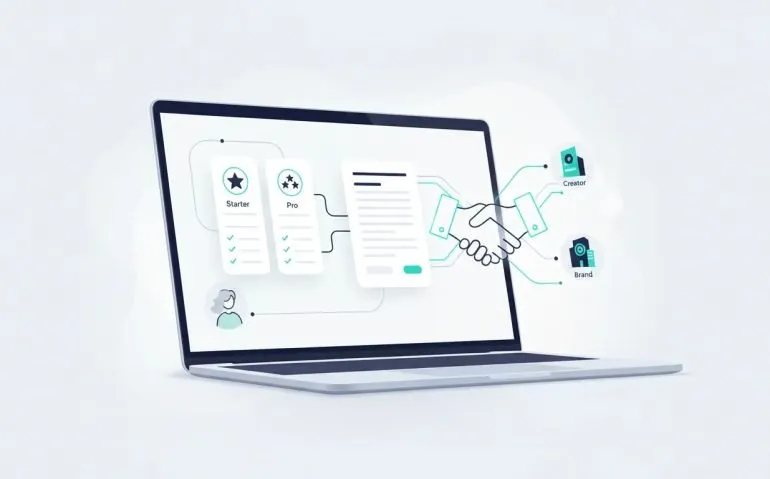
The generated estimate can serve as a lightweight pitch deck, rate card, and proposal all at once. Depending on how you customize it, it can include:
- Your creator or business name
- The brand’s name and contact information
- Date of issue
- Package breakdowns
- Pricing for each deliverable
- Usage rights
- Revision limits
- Branding and color palette
- A signature section
One of the strongest points here is that the result already looks polished. The generated layouts are designed to feel clean and credible right away, which is a huge improvement over building something manually in a rushed Google Doc.
Customizing the design to match your niche or brand
Once the first version is generated, you are not stuck with it. Venngage makes it easy to ask for changes in plain language.
For example, if you want the estimate to match YouTube-style branding, you can ask the AI to update the colors to red and black. The platform will recognize that direction and adjust the design accordingly.
If you already have your own creator branding, you can customize around that too. This is especially useful if you want your outreach materials to feel consistent with your channel, social media presence, or media kit.
You can also use the brand kit area to explore palettes or automatically fill in company details if you want a more standardized look.
Useful customization options include:
- Changing colors and branding
- Editing text directly in the design
- Using the AI writing assistant to improve copy
- Adding icons or generated images
- Translating the estimate into other languages
- Inserting charts, text blocks, and additional visual elements
This flexibility matters because brand outreach is rarely one-size-fits-all. Different companies may respond better to different visual styles, tones, or package presentations.
A simple way to A/B test your sponsorship materials
One of the smarter use cases here is creating multiple versions of your estimate. Instead of relying on a single design, you can make two versions and test which one gets better responses.
For example, you might create:
- Version 1: Your current layout and original color palette
- Version 2: A cooler blue-toned version with a slightly different visual feel
Venngage can help generate the second version, or you can simply duplicate the page and edit it yourself. This is a practical way to improve your outreach over time. If one format gets better replies, better click-throughs, or more serious conversations, you can make that your default.
Most small creators never test this stuff. They send one version of one email and hope for the best. A/B testing your outreach materials gives you actual feedback on what works.
Updating your estimate for each brand
Another big benefit is speed. Once you have a strong base template, it becomes easy to personalize it for each company you contact.
You can quickly change details such as:
- The brand name
- Contact email
- The date
- The package emphasis
- Any custom offer relevant to that brand
That makes your outreach feel more intentional without requiring you to redesign the whole asset every time.
For example, if you are pitching a tool brand, you can swap in their name and adjust the estimate so it feels specific to them. If you want to highlight a certain service, like a dedicated video or UGC package, you can prioritize that section in the document.
This is one of those small operational improvements that saves a lot of time when you are reaching out consistently.
Adding extra context to strengthen your pitch
The estimate itself is already useful, but you can make it stronger by including supporting visual elements. One idea shown in the workflow is adding a chart to compare performance, such as your views or content traction.
You do not need to overload the page. The goal is not to turn the estimate into a giant media kit. The goal is to make the document easier for a brand to say yes to.
That means anything you add should support one of these outcomes:
- It makes your value clearer
- It makes your offer easier to understand
- It makes the design feel more polished
If a chart, icon, or short supporting section helps with that, great. If not, keep it simple.
Exporting and sending your estimate
Once your document is ready, Venngage lets you export it in multiple formats, including:
- PowerPoint
- PNG
- High-resolution PNG
You can also share it, embed it, or preview it before sending.
For most outreach, PDF is the cleanest choice. It feels professional, it is easy to attach to an email, and it preserves the formatting.
The outreach itself can stay short. You do not need a massive wall of text. A concise email is usually enough:
- Briefly introduce who you are
- Explain why there is a strong fit
- Mention that your pricing and details are attached
Then attach the estimate and send it.
You can use the same asset across email, WhatsApp, or other communication channels depending on how you connect with brands. The main point is that your offer is now packaged in a way that feels legitimate and easy to review.
What makes this especially useful for small YouTube creators
Bigger creators often get inbound interest. Smaller creators usually need to create their own opportunities. That means every part of the process matters more, including presentation.
An AI estimate generator helps level the playing field because it gives smaller creators access to something they often do not have:
- Professional design
- Faster turnaround
- Consistent branding
- Clear communication of rates and packages
- A repeatable outreach asset they can refine over time
This is not just about making something pretty. It is about reducing the friction between your idea and a brand’s decision-making process.
When a company can quickly understand what you offer and how much it costs, the path to a conversation becomes much smoother.
Best practices when using an AI-generated brand deal estimate
To get the most out of a tool like this, keep a few things in mind.
1. Be specific with your offer
The clearer your packages are, the better your estimate will be. Vague offers create vague outcomes.
2. Keep your pricing simple
Do not overwhelm the brand with too many options. A few well-structured packages are easier to evaluate.
3. Match the tone to your positioning
A professional and confident tone works well because it signals clarity without sounding desperate.
4. Customize for each brand
Even light personalization can improve your outreach quality significantly.
5. Use design strategically
Clean visuals help. Clutter hurts. The estimate should feel polished, not overloaded.
6. Test different versions
If you are doing regular outreach, create multiple versions and learn what performs best.
Suggested visuals and media for this article
To make this article more engaging and SEO-friendly, consider adding the following images:
- A screenshot of the Venngage dashboard with AI design options
Suggested alt text: Venngage AI design dashboard for estimate generator and creator documents - An example creator pricing estimate layout
Suggested alt text: AI-generated brand deal pricing estimate for a small YouTube creator - A before-and-after comparison of a plain outreach email versus a branded estimate PDF
Suggested alt text: Comparison between generic brand pitch email and professional creator estimate PDF - A screenshot showing two A/B tested estimate designs
Suggested alt text: Two branded estimate designs for testing creator outreach performance
FAQ
What is Venngage’s AI Estimate Generator?
It is an AI-powered tool that helps create professional estimate documents, proposals, and pricing layouts. For creators, it can be used to build a polished brand deal package that outlines rates, deliverables, usage rights, and revisions.
Why is a pricing estimate useful for brand deals?
A pricing estimate makes your offer clear and easy to review. It helps brands quickly understand what you provide, what it costs, and how you work. That makes you look more organized and professional than sending only a generic outreach email.
Can small creators really benefit from this?
Yes. Small creators often need to pitch brands directly instead of relying on inbound sponsorship requests. A polished estimate document helps them present themselves more seriously and improve first impressions.
What should I include in my creator estimate?
A strong estimate should include your packages, pricing, deliverables, usage rights, revision policy, contact details, and branding. You can also include supporting elements like a chart or short performance summary if it strengthens the offer.
Can I customize the AI-generated design?
Yes. You can change colors, branding, text, layouts, and add elements like icons, charts, and images. The platform also includes AI-assisted editing, writing support, and options for creating multiple design variations.
What format should I send to brands?
PDF is usually the best option because it looks professional and keeps the design intact. Venngage also supports formats like PowerPoint and PNG if you need them.
Final thoughts
If you are a small creator trying to get more brand deals, the biggest upgrade is often not your follower count. It is your presentation. Brands want confidence, clarity, and professionalism. A well-designed estimate gives them all three.
Venngage’s AI Estimate Generator makes that process much easier. You can turn a rough idea into a polished sponsorship document, customize it to fit your brand, test different versions, and send it out as part of a cleaner outreach strategy.
That is the real win here. You stop pitching like a hobbyist and start presenting yourself like a business.
If you want to improve your creator outreach, build a better brand deal package, and make your emails stand out, this is a smart tool to experiment with. Try building one estimate, personalize it for your next pitch, and see how much stronger your outreach feels.