


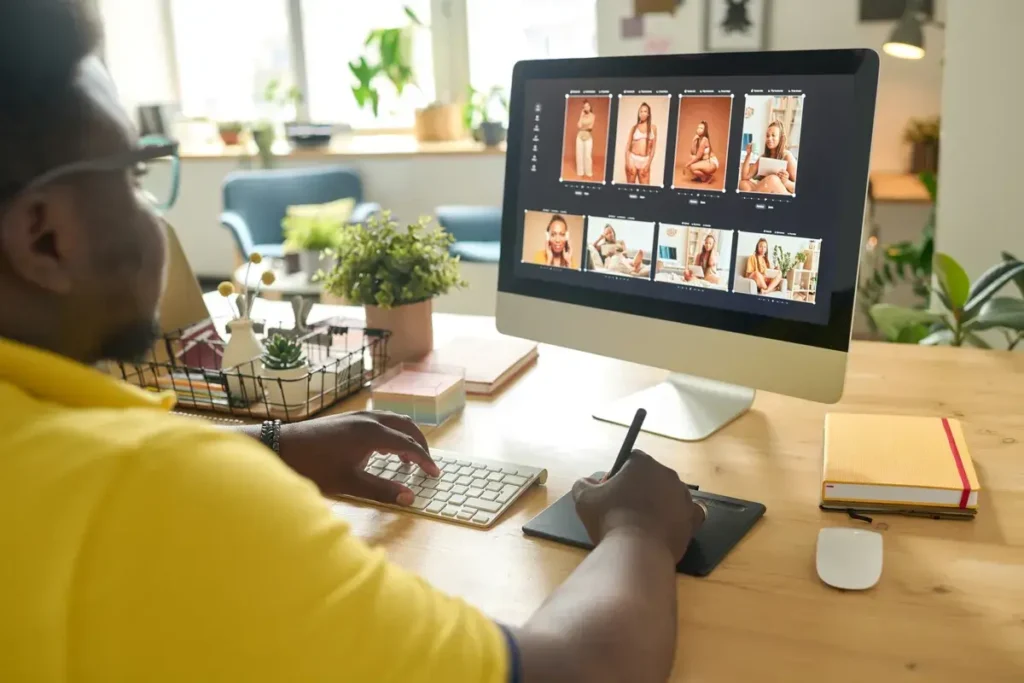
Designing professional posters, social media posts, flyers and infographics no longer requires wrestling with templates or learning Photoshop layers. Skywork’s Posters Agent, powered by NanoBanana Pro, transforms text prompts and reference images into finished graphics in seconds. Whether you need a luxury holiday flyer, a real-time crypto price infographic, or an educational visual for kids, this tool can automate the heavy lifting while letting you iterate with conversational edits.
Table of Contents
- What Skywork Posters Agent Actually Is
- How to Create a Poster or Social Graphic: Step-by-Step
- Practical Examples That Showcase What It Can Do
- Key Features That Make Skywork Posters Agent a Canva and Photoshop Alternative
- Prompting Techniques and Workflow Tips
- Use Cases by Role
- Exporting, Sharing, and Privacy Controls
- Limitations and What to Watch For
- Recommended Workflow to Replace Canva or Photoshop
- Suggested Multimedia and Accessibility Practices
- Meta Description and Tags
- Frequently Asked Questions
- Final Thoughts and Next Steps
What Skywork Posters Agent Actually Is
Skywork Posters Agent is an AI-driven design assistant built into the Skywork platform. It uses the NanoBanana Pro image generation model combined with web search and a chat-based editor. You describe what you want, supply specifics like date, location, color palette, or upload a reference image, and the Posters Agent generates polished, editable artwork instantly.
This is not a simple image generator. It integrates live web search to fetch current data, accepts reference images for style matching, stores reusable presets for brand consistency, and includes a “chat with poster” editor so you can make targeted revisions using plain language. The result is a designer-level final asset without the manual layering and export headaches of standard design tools.
How to Create a Poster or Social Graphic: Step-by-Step
- Open Posters in Skywork and choose the Posters Agent.
- Write a clear prompt describing the asset: purpose, tone, date, time, location, and any elements to avoid.
- Specify format (for example Instagram 9:16, square 1:1, or flyer size).
- Optionally enable web search to pull live data — useful for infographics that need current prices or stats.
- Upload reference images if you want a specific style or brand look reproduced.
- Generate and review the variations the agent returns.
- Edit via chat by telling the poster exactly what to change, e.g., move text, change date, shrink an image, or isolate a layer.
- Download or share the final asset and choose whether the file is public or private.
Practical Examples That Showcase What It Can Do
Luxury Holiday Party Flyer
Prompt: “Create a high-end luxury holiday party flyer for my company party — company holiday party, December 20th, 6 p.m., Carbone, Miami. Use elegant serif typography, black and gold palette, include RSVP line, do not use stock model photos.”
Outcome: A polished, brand-aligned flyer ready for immediate distribution. If you need a tweak — change the date, adjust font sizes, or remove a background element — you simply type the change into the poster chat and the AI updates only the specified element while leaving the rest intact. That targeted editing model is quicker than toggling layers in Photoshop or hunting through Canva pages.
Real-Time Crypto Infographic
Use case: “Research the top five crypto coins right now and make an infographic that displays the price and the coin.” With web search enabled, the Posters Agent fetches live price data (for example from CoinMarketCap), formats it in a financial dashboard style, and produces a compact square infographic for social sharing.
The agent not only assembles the numbers, it organizes them visually into a dashboard layout, applies consistent colors and icons, and provides multiple variations for quick comparison. For any required change — say updating the date to December 2025 — the agent modifies that text element precisely without redoing the entire design.
Recreate or Remix an Instagram Reel Cover
Upload a screenshot or an existing cover, specify the change (swap text from “sweet potatoes” to “yellow potatoes”, adjust spacing, ensure subject fits the frame), and let the Posters Agent recreate the cover in a matching style. This is perfect for creators who want consistent on-grid aesthetics across platforms without manual design labor.
Modernize an Old Flyer
Upload any outdated flyer and ask the agent to “modernize” it. The tool respects the original content but applies modern layout, typography, and color choices to produce a more professional outcome. This accelerates rebranding work and saves time compared to reconstructing the layout from scratch in traditional design apps.
Educational Infographics: E = mc² for a Third Grader
Ask the tool to “explain E equals MC squared in an infographic for a third grader.” The Posters Agent will research the concept, simplify the language, and generate child-friendly visuals — even cartoons or Einstein-style illustrations — that communicate abstract ideas visually. This capability is ideal for teachers, educational publishers, or content creators producing explainer material.
Key Features That Make Skywork Posters Agent a Canva and Photoshop Alternative
- Natural language generation plus design — describe what you want in plain sentences and get a finished visual.
- Chat-based edits — make targeted changes with text instructions without rebuilding the layout.
- Web search integration — pull real-time data for infographics and dashboards.
- Reference image uploads — reproduce or remix a style from your own assets.
- Presets and reusable prompts — store brand instructions so every asset aligns with guidelines.
- Multiple variations — instantly get alternative versions to compare and combine.
- Quick export and sharing — download, copy share links, publish publicly or keep private.
Prompting Techniques and Workflow Tips
High-quality outputs depend on clear prompts. Use these tips to get predictable, usable results.
- Be explicit about purpose — say “Instagram cover 9 by 16” or “print flyer 8.5 by 11”.
- Include exact text content — spell out dates, times, venue, RSVP links, and any call to action.
- Define style and colors — specify mood words like “luxury”, “minimal”, “financial dashboard”, and state color palette (black and gold, navy and teal, etc.).
- Mention what to avoid — “do not include stock people photos” or “no cursive fonts” to steer outputs away from unwanted elements.
- Use reference images — upload covers or brand assets to match typography and composition.
- Save common prompts as presets — it speeds up repeated tasks and ensures brand consistency.
- Edit with the chat — ask for single changes like “move headline up 10 percent” or “make the potatoes smaller so they fit entirely within the frame”.
Use Cases by Role
Marketers and Social Media Managers
Produce campaign assets, A/B variations, and localized flyers in minutes. Use presets for on-brand copy and batch-generate multiple sizes for cross-platform distribution.
Educators and Course Creators
Create kid-friendly explainers and lesson visuals. The combination of simplified language and visuals reduces the time it takes to create classroom-ready materials.
Event Planners and Small Businesses
Generate professional event posters, menus, and promotional flyers without hiring a designer. Quick edits mean faster approvals and less back-and-forth.
Financial and Crypto Content Creators
Generate up-to-date infographics that show live metrics. The built-in web research makes it easy to pull the latest figures and display them in a branded dashboard layout.
Designers and Creative Teams
Use the Posters Agent to prototype and iterate rapidly. Export results and refine them further in professional tools when necessary. The tool accelerates ideation and reduces repetitive layout work.
Exporting, Sharing, and Privacy Controls
Once a poster is generated you can:
- Download the asset in high resolution for print or web.
- Copy a shareable link to post on social channels.
- Set visibility to public or private depending on the use case.
- Share directly to platforms or teammates for review.
Limitations and What to Watch For
AI design tools are powerful but not flawless. Keep these considerations in mind:
- Accuracy of live data — web search results depend on the sources the model uses. Verify numbers for critical business or financial assets by checking authoritative sites like CoinMarketCap or official APIs.
- Copyright and image usage — ensure that any uploaded or generated imagery is compliant with licensing rules before commercial use.
- Brand consistency — use presets and reference assets to keep fonts and colors consistent; automatic generation can vary in subtle ways.
- Complex vector edits — for extremely fine-grained vector work or page layout at scale, you may still need a traditional design app for final polish.
- Model hallucinations — when requesting factual text (dates, statistics, quotes), double-check for accuracy.
Recommended Workflow to Replace Canva or Photoshop
- Draft a master prompt template that includes brand voice, colors, logo placement, and typography rules. Save this as a preset.
- Upload brand logos and a few reference images so the agent can match composition and tone.
- Generate multiple variations and choose the best base layout.
- Refine using the chat editor with precise, single-element instructions.
- Export deliverables in the appropriate formats and maintain a version history for future edits.
- Archive final posters in a shared folder for team access and reuse.
Suggested Multimedia and Accessibility Practices
When publishing AI-generated visuals, include accessible alt text and suggest complementary multimedia to increase engagement.
- Alt text idea for a holiday flyer: “Black and gold holiday party flyer with serif headline, company logo at top left, date December 20, 6 PM, Carbone Miami, RSVP line at bottom”.
- Alt text idea for a crypto infographic: “Square dashboard infographic listing top five cryptocurrencies with logo icons and current prices”.
- Include short video or animated GIF to show how pieces animate or change across variations for social channels.
- Consider a downloadable PDF version for print with CMYK color conversion if offering physical flyers.
Meta Description and Tags
Meta description: Create professional posters, social posts, and infographics fast with Skywork Posters Agent powered by NanoBanana Pro. Replace Canva and Photoshop for many tasks.
Tags: Skywork, NanoBanana Pro, AI design tool, Canva alternative, generate posters, create infographics, social media graphics, AI poster editor
Frequently Asked Questions
How does Skywork Posters Agent differ from Canva or Photoshop?
Can I upload my own brand assets and enforce brand consistency?
Does the agent support live data for infographics?
How precise are edits made through the chat editor?
Are generated images safe to use commercially?
What formats can I export to?
Final Thoughts and Next Steps
Skywork Posters Agent, powered by NanoBanana Pro, is not just another image generator. It’s a practical workflow tool for anyone who produces regular visual content. It accelerates design, simplifies iteration, and bridges the gap between concept and publication.
For creators and teams that need speed, brand consistency, and the ability to update assets quickly, this approach can replace many repetitive Canva or Photoshop tasks. Try generating a test poster with a small, specific prompt and refine it through the chat editor to experience how fast iteration becomes.
Suggested next actions: save a brand preset, upload your logo, and request a simple asset such as a 1:1 social infographic or a 9:16 reel cover. Compare the time-to-final between this approach and a traditional design round to quantify the productivity gains.