


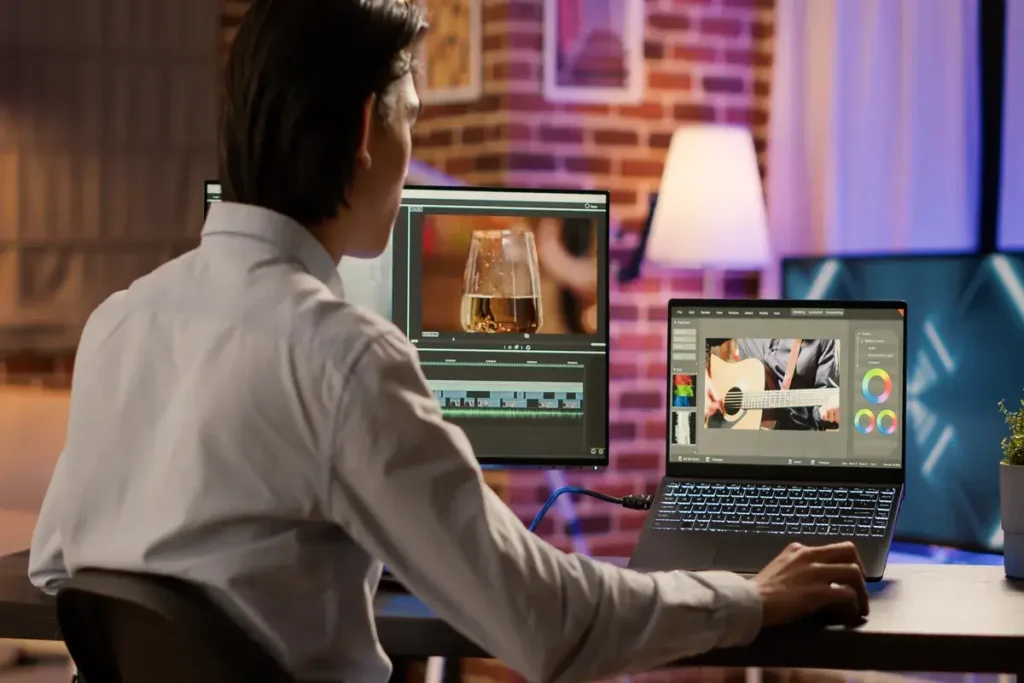
Artificial intelligence is transforming filmmaking, advertising, and digital storytelling. Tools like Runway, Pika, Sora, and Stable Video Diffusion are enabling creators to produce cinematic videos without cameras, crews, or traditional production budgets. But the real differentiator isn’t the tool—it’s the prompt.
This Prompt Engineering Guide for Cinematic Video explains how to write high‑impact prompts that generate professional‑grade visuals, consistent scenes, and emotionally resonant storytelling. Whether you’re a filmmaker, marketer, or content creator, mastering prompt engineering is now essential for producing high‑quality AI video.
Why Prompt Engineering Matters in Cinematic Video Production
AI video generators interpret text as creative direction. The more precise, structured, and cinematic your prompt is, the more control you gain over:
- Visual style and atmosphere
- Camera movement and framing
- Lighting and color palette
- Character design and continuity
- Scene pacing and emotional tone
In other words, prompt engineering is the new cinematography.
1. Start With a Strong Cinematic Concept
Every great AI video begins with a clear narrative intention. Before writing your prompt, define:
- Setting: futuristic city, snowy forest, neon‑lit alley
- Mood: suspenseful, romantic, dystopian, epic
- Genre: sci‑fi, noir, fantasy, documentary
- Purpose: ad, short film, social media clip, concept art
SEO Tip:
Include keywords like cinematic video prompt, AI video generation, film-style prompts, and video storytelling with AI.
2. Use Film Language to Guide the AI
AI models respond extremely well to cinematic terminology. Borrow vocabulary from filmmaking to shape the output:
Camera Directions
- “wide establishing shot”
- “slow dolly-in toward the protagonist”
- “handheld camera movement for realism”
- “aerial drone shot over the city”
Lighting
- “soft diffused lighting”
- “high‑contrast noir shadows”
- “golden hour sunlight”
- “neon reflections on wet pavement”
Lens & Composition
- “shot on a 35mm lens”
- “shallow depth of field”
- “symmetrical Wes Anderson framing”
These details dramatically increase realism and cinematic quality.
3. Describe Characters With Precision
AI video models struggle with consistency unless characters are clearly defined. Include:
- Age, ethnicity, and physical traits
- Wardrobe and accessories
- Emotional expression
- Movement or action
Example: “A 30‑year‑old Latina scientist wearing a white lab coat, messy hair, and glasses, looking anxiously at a glowing reactor core.”
4. Control the Visual Style With Clear Aesthetic References
AI responds well to stylistic anchors. Use:
- Film references: Blade Runner 2049, Dune, Her
- Art movements: cyberpunk, impressionism, baroque
- Color palettes: teal‑and‑orange, monochrome, neon‑purple
- Texture cues: grainy film, glossy surfaces, analog noise
SEO Keywords to Include
- cinematic AI video style
- film-inspired AI prompts
- visual aesthetic prompt engineering
5. Add Motion, Atmosphere, and Environmental Detail
Cinematic videos feel alive. Enhance your prompt with:
- Weather: rain, fog, snow, sandstorm
- Atmosphere: smoke, dust particles, lens flares
- Motion cues: wind blowing through trees, cars passing, birds flying
- Environmental storytelling: abandoned buildings, futuristic holograms, crowded markets
These elements create depth and immersion.
6. Structure Your Prompt for Maximum Clarity
A well‑structured prompt improves output quality. Use this format:
Cinematic Prompt Template
Código
[Scene Setting] + [Character Description] + [Action] +
[Camera Movement] + [Lighting] + [Visual Style] + [Atmosphere] +
[Emotion or Tone]
Example Prompt
“A futuristic Tokyo street at night, neon signs glowing through the rain. A young woman in a red jacket runs through the crowd. Slow dolly‑in shot, soft diffused lighting, cinematic depth of field, cyberpunk color palette, atmospheric fog, tense and dramatic mood.”
7. Use Negative Prompts to Avoid Common AI Errors
Negative prompts help eliminate unwanted artifacts:
- “no distorted faces”
- “no flickering”
- “no inconsistent character features”
- “no warped hands or limbs”
- “no text or logos”
This improves continuity and reduces post‑production cleanup.
8. Optimize for SEO With Strategic Keywords
To rank your article for AI video and prompt engineering searches, integrate these keywords naturally:
Primary Keywords
- prompt engineering for video
- cinematic AI video prompts
- AI video generation guide
- how to write video prompts
Secondary Keywords
- filmmaking with AI
- generative video tools
- cinematic storytelling with AI
- video production automation
LSI Keywords
- camera movement prompts
- lighting prompts for AI
- character design prompts
- cinematic aesthetics
9. Best Practices for Consistent AI Video Output
- Keep character descriptions identical across scenes
- Use the same lighting and color palette for continuity
- Avoid overly long prompts—clarity beats verbosity
- Test multiple variations of the same prompt
- Save your best-performing prompt structures
10. The Future of Cinematic Prompt Engineering
As AI video models evolve, prompt engineering will become a core skill in filmmaking, advertising, and digital media. Creators who master cinematic prompting will shape the next generation of visual storytelling—faster, cheaper, and more creatively liberated than ever before.