


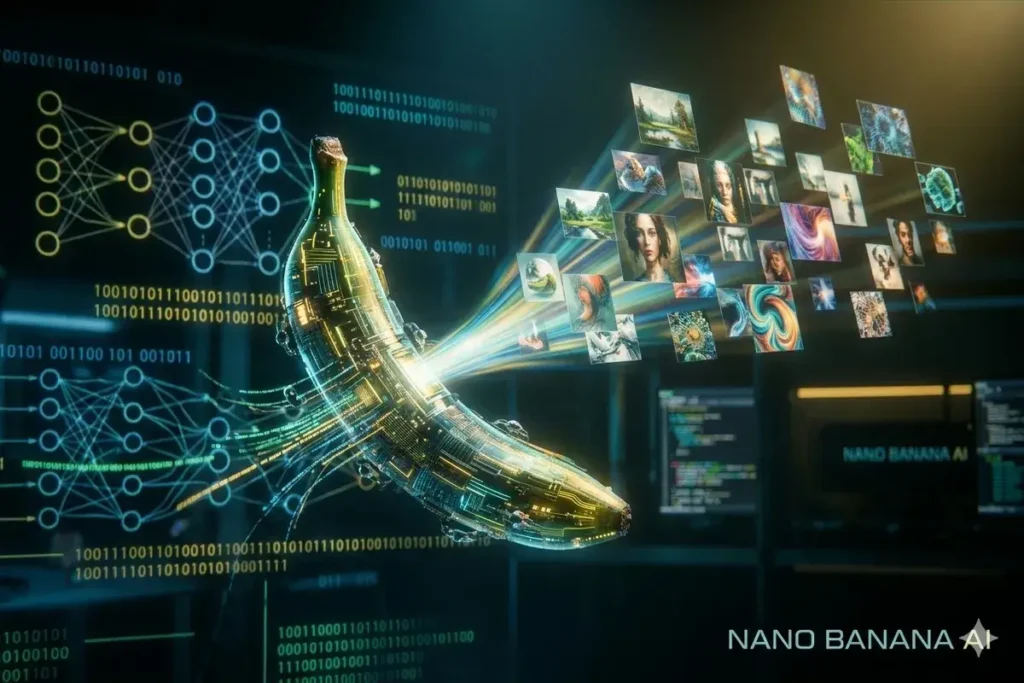
Google just released Nano Banana 2, and it’s a major leap forward in AI image generation. If you care about speed, photorealism, and precise prompt-following — especially when the prompt contains text or face replacements — this model is one of the best options available right now. Nano Banana 2 is designed for fast photo-quality outputs, multiple stylistic modes, and tighter adherence to instructions. Below I’ll walk through how to access it, practical workflows (including a step-by-step thumbnail swap example), prompt optimization tips, automation with Gems and Opal, best practices, and a short FAQ to cover the most common questions.
Table of Contents
- What makes Nano Banana 2 special?
- How to access Nano Banana 2 (two straightforward ways)
- Practical demos that show Nano Banana 2 in action
- Prompting: why the prompt matters more than ever
- Automation: Gems, Opal, and agentic workflows
- Best practices and production tips
- Responsible use and legal considerations
- FAQ
- Meta description, tags, and suggested links
- Final thoughts and what to try next
What makes Nano Banana 2 special?
Nano Banana 2 is built for speed and fidelity. Compared with previous image models, it consistently delivers:
- Faster generation times for quick iteration and high throughput.
- Stronger prompt adherence, especially for textual elements inside images and exact compositional instructions.
- Cleaner photorealism across styles like sketch, surreal, old cartoon, cyborg, and more.
- No Gemini watermark in the corner, which makes outputs more usable for thumbnails and marketing assets.
- Multiple model variants (Nano Banana, Nano Banana Pro, Nano Banana 2) so you can choose speed vs. fidelity tradeoffs.
The model also integrates with Google’s ecosystem — Gemini app, Google AI Studio, Gems, and Opal — letting you create end-to-end workflows and even agentic automations that run in the background.
How to access Nano Banana 2 (two straightforward ways)
There are two practical routes to use Nano Banana 2 depending on whether you want immediate access from the consumer app or higher-rate API access for production workflows.
Option 1 — Gemini app (fast and simple)
- Open the Gemini app or the Gemini web interface.
- In the model selector, choose the Fast mode — this hooks you to Nano Banana 2.
- Pick a style (sketch, surreal, old cartoon, cyborg, etc.) or upload reference images.
- Type your prompt, add any reference photos, and generate. You can copy, download, regenerate, or refine the output from there.
The Gemini route is ideal for quick experimentation, thumbnails, and single-image tasks. It’s speedy and convenient.
Option 2 — Google AI Studio (playground and API)
- Go to Google AI Studio and open the chat/playground for image generation.
- Explore other models and select Nano Banana 2 from the image generation list.
- Note: Nano Banana 2 requires linking an API key for higher rate limits and is available on the paid tier.
- Link your API key to unlock advanced features, higher throughput, and programmatic usage for ads and batch generation.
For anything beyond casual use — like ad campaigns, bulk thumbnail creation, or production pipelines — linking an API (paid tier) is recommended so you aren’t rate-limited.
Practical demos that show Nano Banana 2 in action
Below are two practical workflows I’ve used that demonstrate how useful Nano Banana 2 is for creators and marketers.
1. Replace a YouTube thumbnail subject (head swap)
Use case: You want a thumbnail with the same composition and energy of an existing creator (for learning or inspiration), but with your face instead.
- Take a screenshot of the thumbnail you want to emulate (composition, lighting, pose).
- Upload that screenshot as a reference into Gemini or Google AI Studio.
- Upload a clean headshot of yourself with a neutral expression and similar angle where possible.
- Prompt example: Replace the central subject with the uploaded headshot of me, match lighting and perspective, remove the timestamp in the bottom right corner, keep the overall color grading and punchy contrast.
- Generate, then refine — adjust facial alignment, lighting, or shadows as needed by adding more direction to the prompt.
Results are fast and often impressively accurate. The lack of a Gemini logo in the corner makes these outputs ready for direct use after final adjustments.
2. Style and quick sketch demo (pets, concept art)
Ask for a sketch of “three King Charles Cavaliers cuddling on the couch” and choose the Sketch style. Nano Banana 2 produces charming, stylized images within seconds and adheres to details like the dog breed and the scene composition.
These capabilities make Nano Banana 2 useful for concept art, social posts, merchandising mockups, and rapid visual ideation.
Prompting: why the prompt matters more than ever
The model is powerful, but the single biggest lever you have is the prompt. A weak prompt yields mediocre results; a carefully crafted prompt yields cinematic, photoreal images that look professionally composed.
I strongly recommend a prompt-optimization workflow. Instead of writing a one-liner like:
put a cool sunset over Yellowstone in Lamar ValleyUse a richly detailed optimized prompt:
Ultra-photorealistic wide-angle landscape of Lamar Valley, Yellowstone at golden hour. Dramatic warm backlighting, soft volumetric fog in the valley, golden-hour rim light on bison silhouettes in the midground, vibrant sky with layered clouds, 35mm lens feel, high dynamic range, sharp foreground detail, subtle film grain, cinematic color grading, 8k photoreal output.The difference is dramatic. One prompt gives a generic scene; the optimized prompt specifies lighting, lens feel, subject placement, color grading, and output style.
Use a prompt optimizer
I use the MyPromptBuddy Chrome extension to automate prompt improvement. It can take an initial prompt and produce a detailed, model-friendly version that includes style, camera, lighting, and finishing instructions — yielding significantly better outputs with Nano Banana 2.
MyPromptBuddy works inside Gemini and the browser. It’s an easy way to upgrade results without memorizing dozens of prompt patterns.
Automation: Gems, Opal, and agentic workflows
Google’s tools are evolving to support not just single image generation, but automated, repeatable workflows. Here’s how the pieces fit:
- Gems are custom assistants you can build and share. You can give a Gem a name, purpose, behaviors, and rules. Gems can now be granted access to default tools like Nano Banana 2, Canvas, Deep Research, and Agent Mode.
- Agent Mode lets Gems perform multi-step tasks autonomously. For example, a YouTube title Gem can generate titles, test variants, and iterate — all using tools you allow it to access.
- Opal supports agent steps inside dynamic workflows. You can design a multi-step process (title generation, thumbnail creation, video outline) and add an agent step that calls Nano Banana 2 for the image generation portion.
- Improved memory and dynamic routing in Opal make agents smarter, enabling them to reuse past decisions and route tasks differently depending on context.
Practically this means you can build a Gem that: (1) generates thumbnails using Nano Banana 2, (2) writes tailored titles and descriptions, and (3) outputs everything into a content plan — all with minimal manual intervention.
Best practices and production tips
Use these practical tips to get reliable, high-quality results with Nano Banana 2:
- Choose Fast mode in Gemini when you want Nano Banana 2. If you use Google AI Studio, pick the Nano Banana 2 model directly and link an API key for production.
- Keep reference photos clean. For face replacement, use a high-quality headshot with neutral lighting and matching angle if possible.
- Iterate in small steps. Start with a full prompt, then regenerate with minor tweaks (lighting, facial alignment) rather than huge changes.
- Download originals. Gemini allows copying and full-size downloads — keep originals for editing in Photoshop or equivalent.
- Use consistent output settings when producing batches (same resolution, color profile, and aspect ratio) so assets are uniform.
- Label your prompts. Save prompt templates for recurring assets (thumbnails, ad variants) to speed up future production.
- Monitor rate limits. If you plan to generate many images, use the API/paid tier to avoid throttling.
Responsible use and legal considerations
Powerful image generation comes with responsibility. A few important considerations:
- Copyright and brand use Avoid impersonating creators or companies in ways that infringe trademarks or mislead. Replace faces for learning or parody with caution and full disclosure when used publicly.
- Attribution and licensing Confirm the licensing terms of the model for commercial use. Paid API tiers often include clearer licensing terms for business use.
- Ethical thumbnails and ads Misleading thumbnails that falsely represent content can harm trust and platform standing. Use generated images responsibly.
- Privacy When using real people’s images, get consent for transformations and public use.
FAQ
How do I access Nano Banana 2 in the Gemini app?
Open Gemini, select the model picker, and choose Fast. Fast mode routes requests to Nano Banana 2 and provides instant generation with the style options available in the app.
Do I need to pay to use Nano Banana 2?
You can use Nano Banana 2 from the Gemini app for casual use. For higher rate limits, advanced features, or programmatic access in Google AI Studio, you will need to link an API key and use the paid tier.
Can Nano Banana 2 replace faces in thumbnails?
Yes. Upload the target thumbnail as a reference and a high-quality headshot, then instruct the model to replace the subject with the uploaded headshot while matching lighting and perspective. Refine as necessary.
Why does prompt optimization matter?
Nano Banana 2 responds to detailed instructions. An optimized prompt that includes camera, lighting, mood, color grading, and output quality yields far better, more consistent images than a short, vague prompt.
What is MyPromptBuddy and how does it help?
MyPromptBuddy is a Chrome extension that expands a simple prompt into a highly detailed, model-friendly prompt. It saves time and consistently improves output quality without memorizing complex prompt patterns.
Can I use generated images commercially?
Check the model and platform licensing terms. Using the paid API usually clarifies commercial licensing. Always ensure you have rights for any identifiable people or copyrighted subjects and obtain consent where necessary.
Meta description, tags, and suggested links
Meta description (150-160 characters): Discover Nano Banana 2 — Google’s fastest, most photoreal AI image generator. How to access it, prompt tips, automation with Gems and Opal.
Suggested tags: Nano Banana 2, NanoBanana, AI image generator, Gemini app, Google AI Studio, prompt engineering, MyPromptBuddy, Opal, Gems, thumbnail generator.
Helpful links to include on a publish page (paste these as clickable links in your CMS):
- MyPromptBuddy: https://mypromptbuddy.ai/
- Google AI Studio: https://ai.google/studio
- Gemini app: https://gemini.google.com
- Rob The AI Guy channel: https://www.youtube.com/channel/UC0FBv8ckxw1hrZxbUm3G7hA
Suggested images to include on the article with alt text:
- Screenshot of the Gemini model selector showing Fast mode — alt: “Gemini app model selector with Fast mode selected for Nano Banana 2”.
- Before/after of a prompt optimization example — alt: “Comparison of non-optimized vs optimized prompt results in Nano Banana 2”.
- Thumbnail replacement example showing the original and the replaced headshot — alt: “Original thumbnail and headshot-replaced thumbnail generated with Nano Banana 2”.
Final thoughts and what to try next
Nano Banana 2 is a big upgrade for anyone who needs fast, high-fidelity images with reliable prompt adherence. Whether you create thumbnails, social ads, or concept visuals, the combination of Nano Banana 2 with prompt optimization tools like MyPromptBuddy and Google’s Gems/Opal automation can significantly speed up production and creative iteration.
Try a simple experiment: pick one recurring asset type you create (a thumbnail or ad), build a prompt template, optimize it, and set up a Gem that can run that process automatically. You’ll quickly see both the time saved and the quality improvements.
If you try Nano Banana 2, keep a few best practices in mind: refine prompts gradually, use high-quality references, and confirm licensing for commercial use. These small steps make a huge difference in results and reliability.